
I still remember buying my first dive computer — and how it totally changed the way I dived!
Suddenly I had my depth, dive time and no-decompression limit (NDL) sitting right there on my wrist. From then on, I wasn’t just following somebody else around underwater anymore — I actually understood what the fuck was happening on dives.
My first computer was a Suunto Zoop Novo. It was big, plasticky and about as sexy as a microwave strapped to my wrist, but I bloody loved it.
A few years later I upgraded to the Suunto D5 and was completely blown away by the colour display. After years of staring at the Zoop, it felt like I’d gone from a calculator to an iPhone.
Eventually I upgraded again to the Shearwater Teric — smaller, sharper and ridiculously customisable. My inner gear nerd was drooling. That’s when I realised. Somewhere along the way, I’d become a dive-computer nerd, guhh 🤓 ⌚.
Since then, I’ve become a scuba instructor and spent years diving alongside students, divemasters, other instructors and random diver peoples using all kinds of dive computers and dive-computer-like-things.
I’ve seen things you wouldn’t believe, like which dive computers people love, which ones confuse the shit out of them and which ones often spend half the dive beeping angrily at their owners.
So for this guide, I’ve narrowed things down to 15 of the best dive computers of 2026, from dirt-cheap beginner models to some of the most advanced dive computers you can strap to your wrist — with plenty in between.
Alrighty! Enough yibber-yabbering about dive computers — use the Quick Picks directly below if you’re low on time. Or dive down deeper for my Detailed Reviews. There’s also a Buyer’s Guide & Info Section!

Ahoy! I’m Alex — an English PADI Scuba Diving Instructor and the creator of Diving Squad. I started this blog back in 2018, commencing a five-year odyssey diving, travelling and working across Southeast Asia, South and Central America, Ireland and beyond. In 2023, I landed in Panglao, Philippines — and liked it so much I never really left! I’ve been based here ever since, diving, teaching and continuing to build Diving Squad. When I’m not underwater, I’m usually editing dive footage, plotting the next adventure or cruising around on my bike — but never for long before the reefs pull me back!
⚡ 🤿 ⌚ Quick Picks
🥇 1) My Top Pick – Shearwater Teric ($$$)

My favourite all-round dive computer — stunning AMOLED display, great customisation and serious dive features.
👉 Full Review ↓ | 🛒 AMAZON PRICE →
💰 2) Best Value — Suunto D5 ($$)
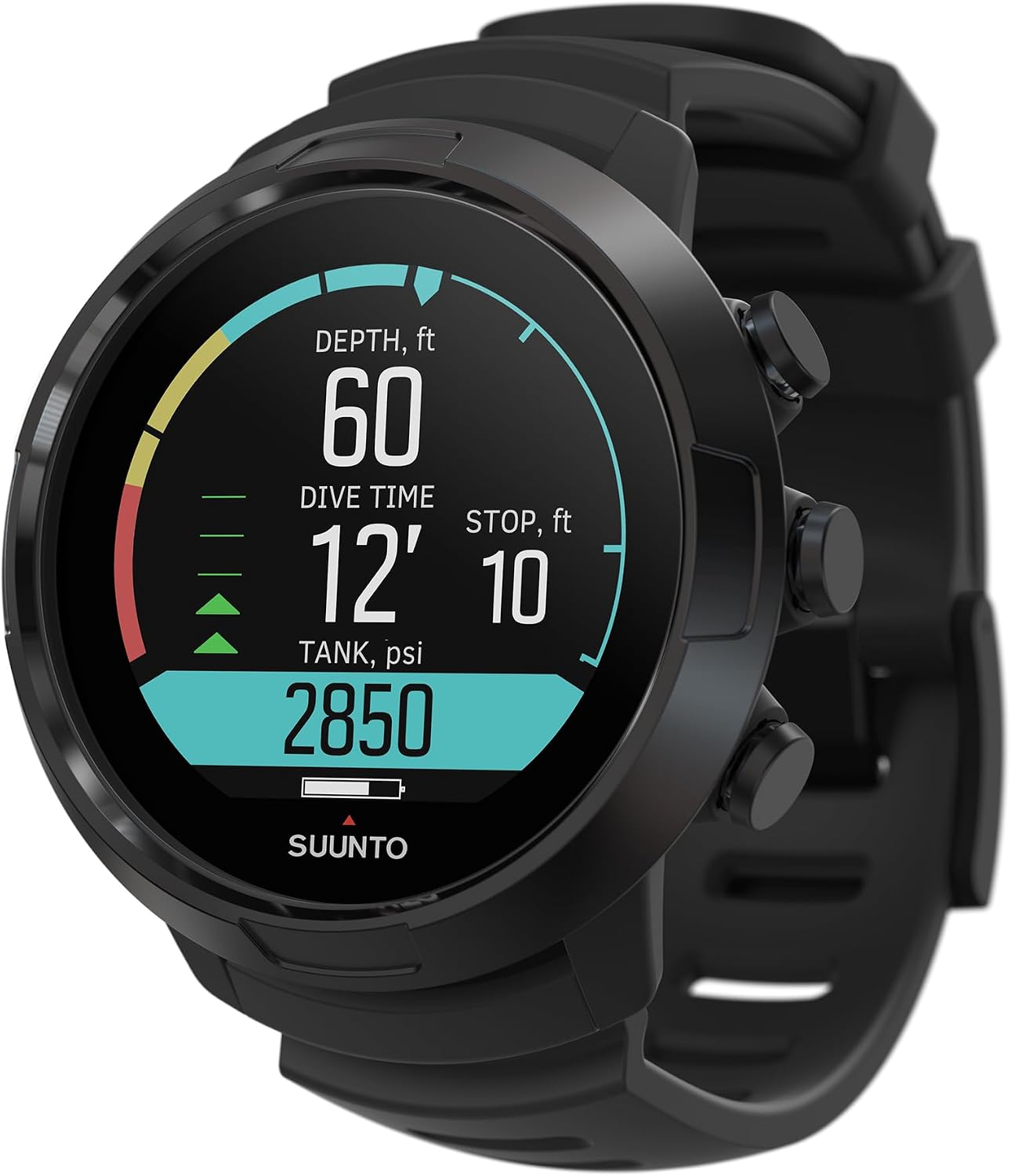
An old favourite of mine! Beginner-friendly, with a gorgeous colour display, intuitive controls and a great price.
👉 Full Review ↓ | 🛒 AMAZON PRICE →
🤑 3) Cheapest Dive Computer — Cressi Leonardo ($)
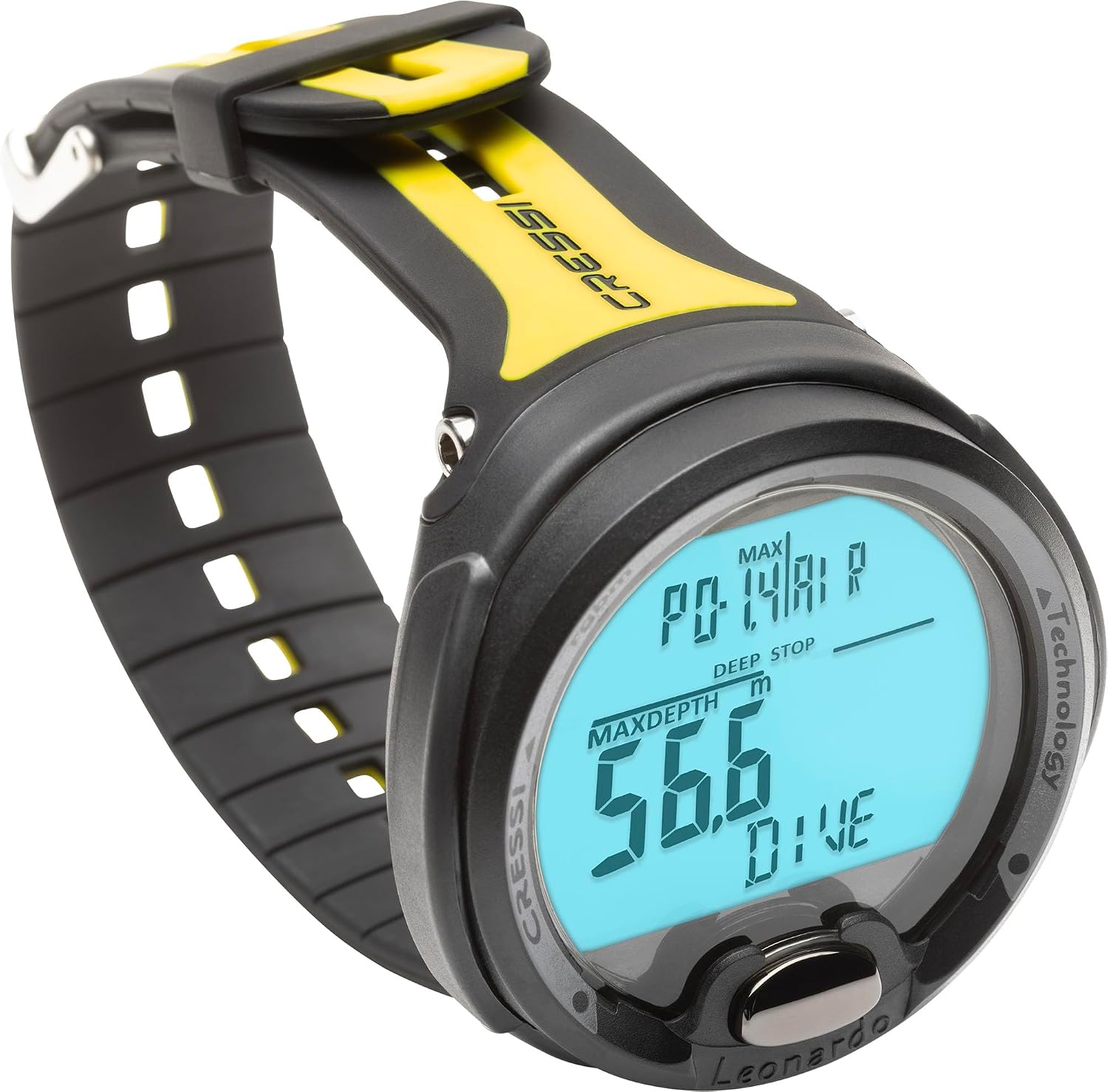
Tough, reliable and refreshingly simple — everything beginners need underwater at a rock-bottom price!
👉 Full Review ↓ | 🛒 AMAZON PRICE →
⌚4) Smartwatch Dive Computer — Suunto Ocean ($$)
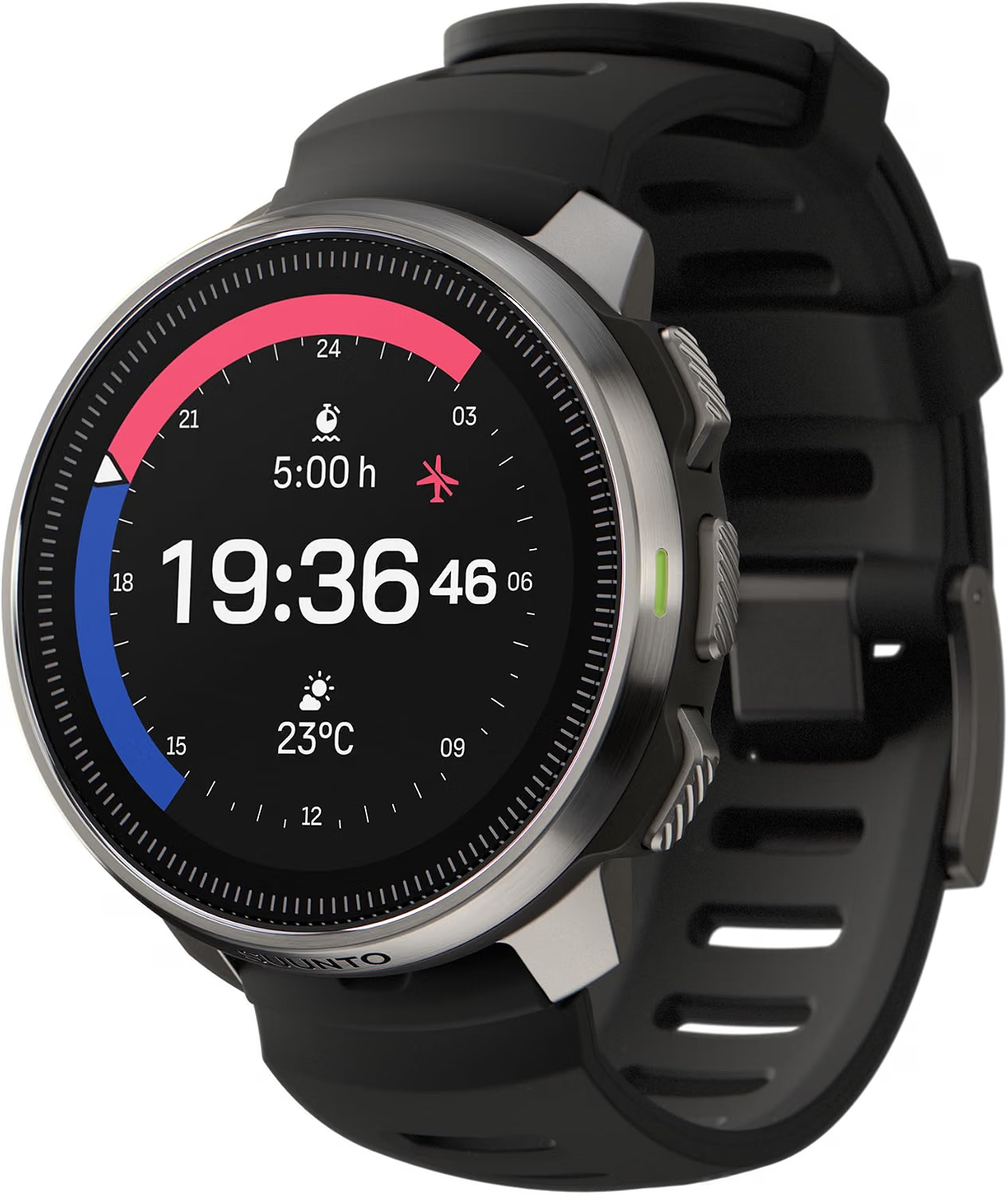
An exciting new dive computer with serious underwater capabilities, a gorgeous colour display and smartwatch features!
👉 Full Review ↓ | 🛒 AMAZON PRICE →
🔥 5) Hot New Model — Suunto Nautic ($$$)
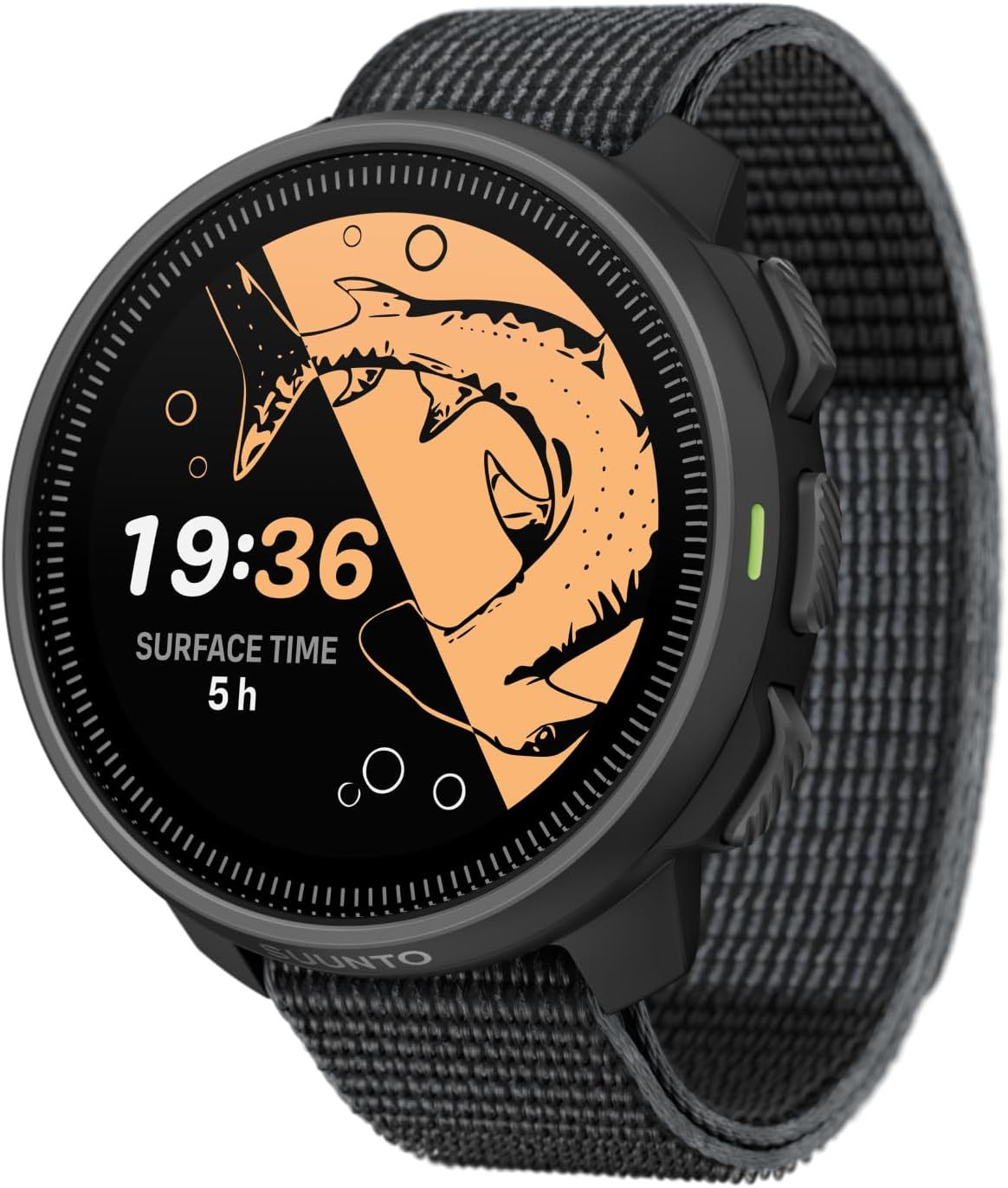
Hot new Suunto with a stunning AMOLED display, advanced dive features, air integration and superb battery life!
👉 Full Review ↓ | 🛒 AMAZON PRICE →
⚡ 6) Mares Puck 4 ($$)
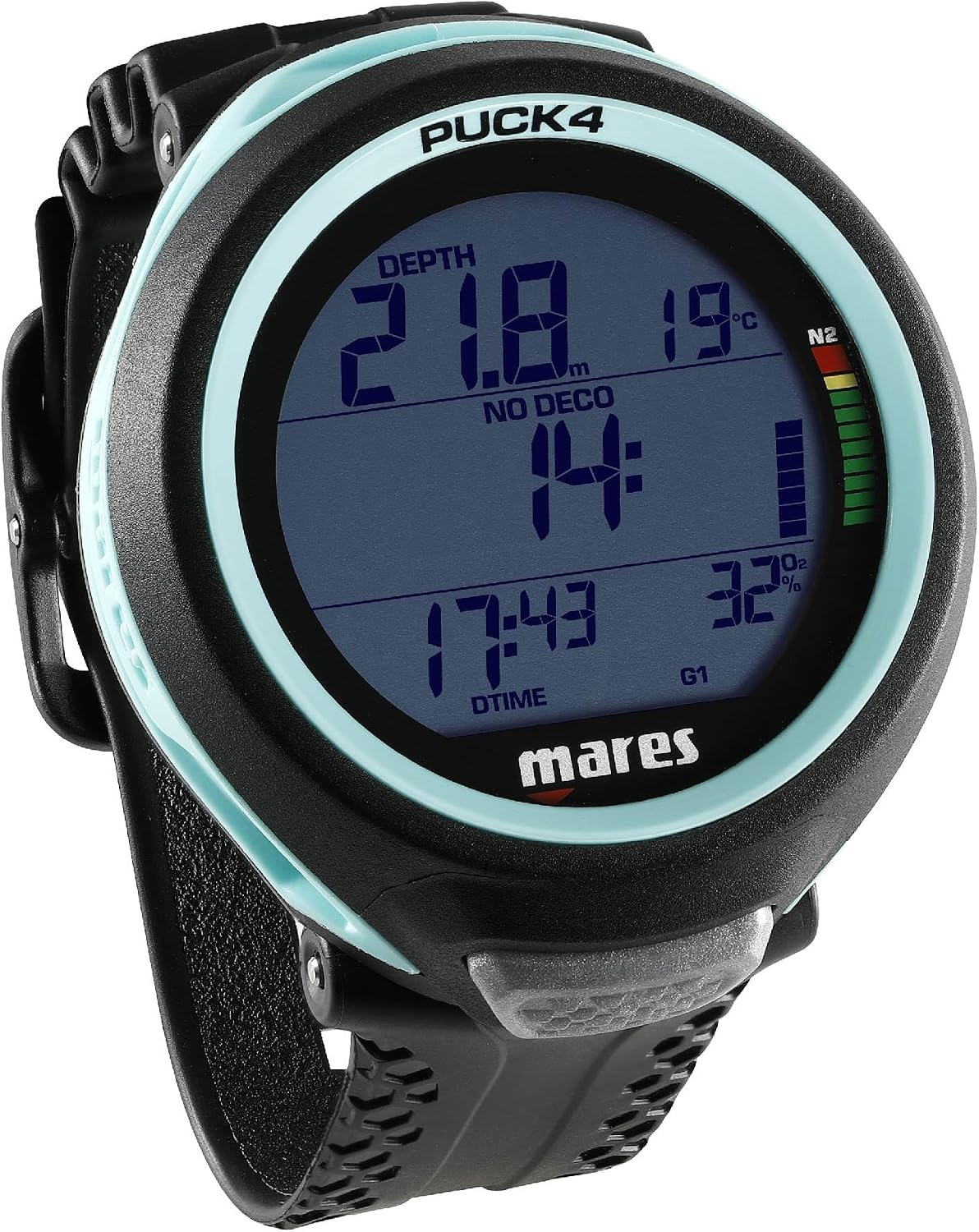
Simple operation with modern features, Bluetooth and multi-gas capability at a relatively affordable price.
👉 Full Review ↓ | 🛒 AMAZON PRICE →
⌚ 7) Garmin Descent Mk3i ($$$$)
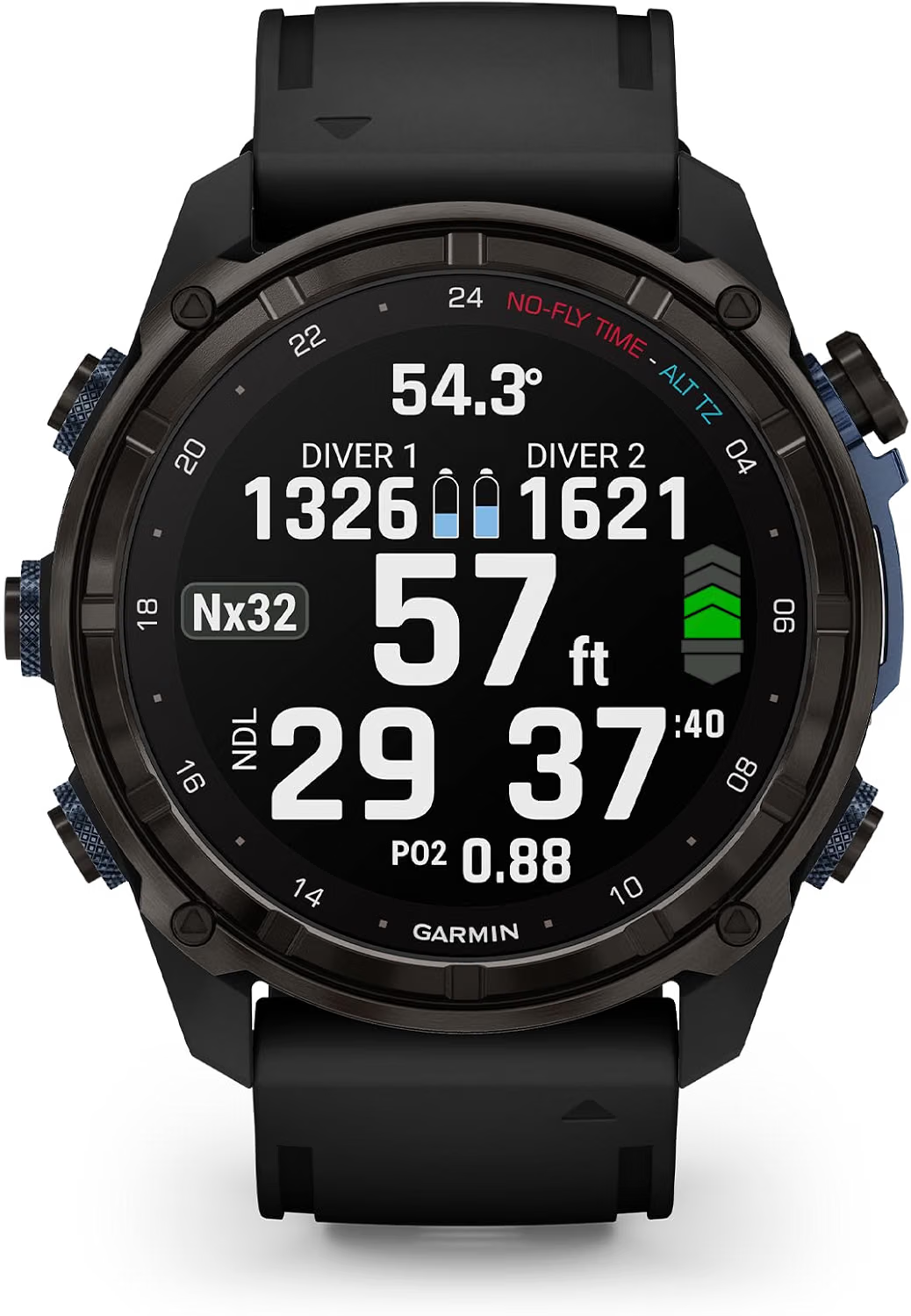
An incredibly capable dive computer and premium multisport smartwatch crammed onto the same wrist.
👉 Full Review ↓ | 🛒 AMAZON PRICE →
🛜 8) Shearwater Peregrine TX ($$$)
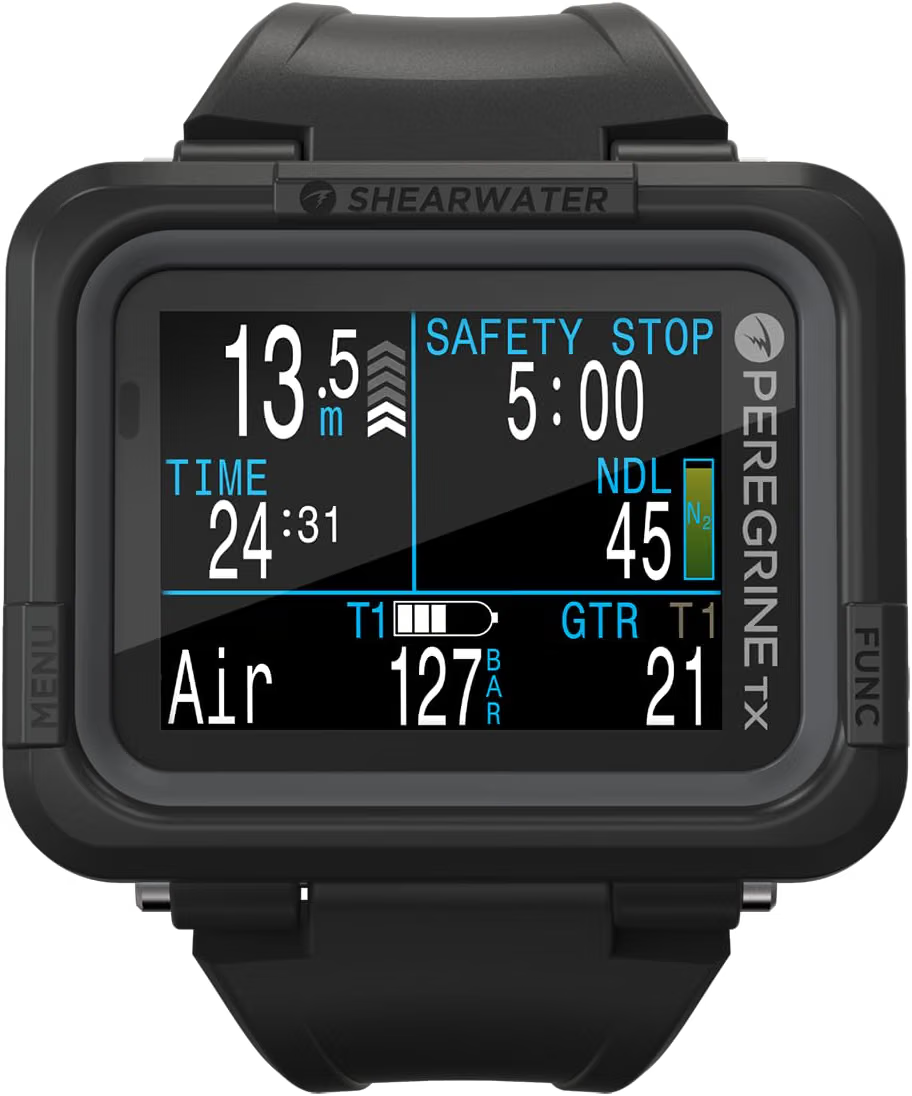
A huge, readable colour display with excellent air integration and support for multiple transmitters.
👉 Full Review ↓ | 🛒 AMAZON PRICE →
👀 9) Cressi Raffaello ($$)
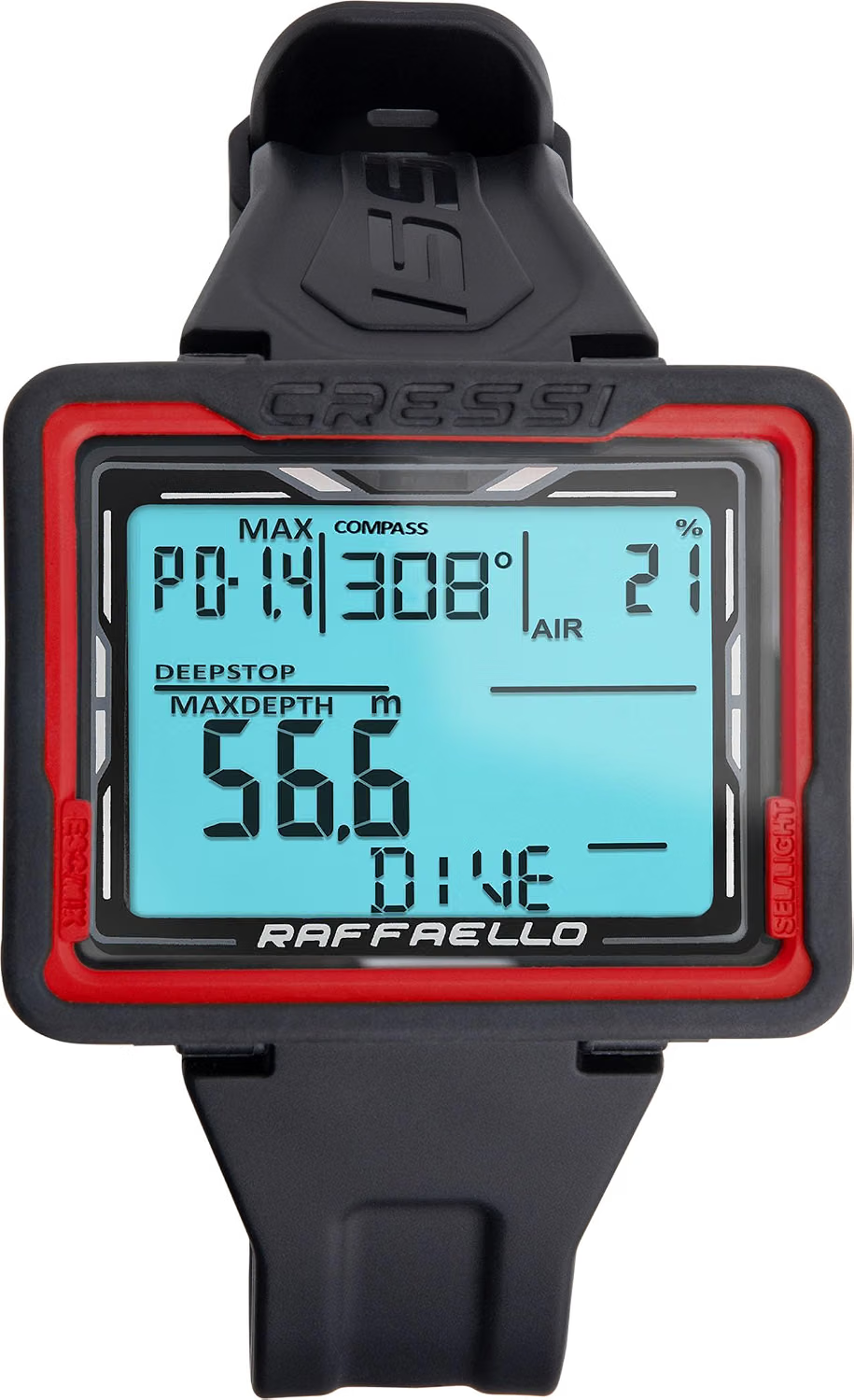
Big numbers, loads of screen space and useful features without jumping into premium-computer prices.
👉 Full Review ↓ | 🛒 AMAZON PRICE →
🤓 10) Shearwater Perdix 3 ($$$)
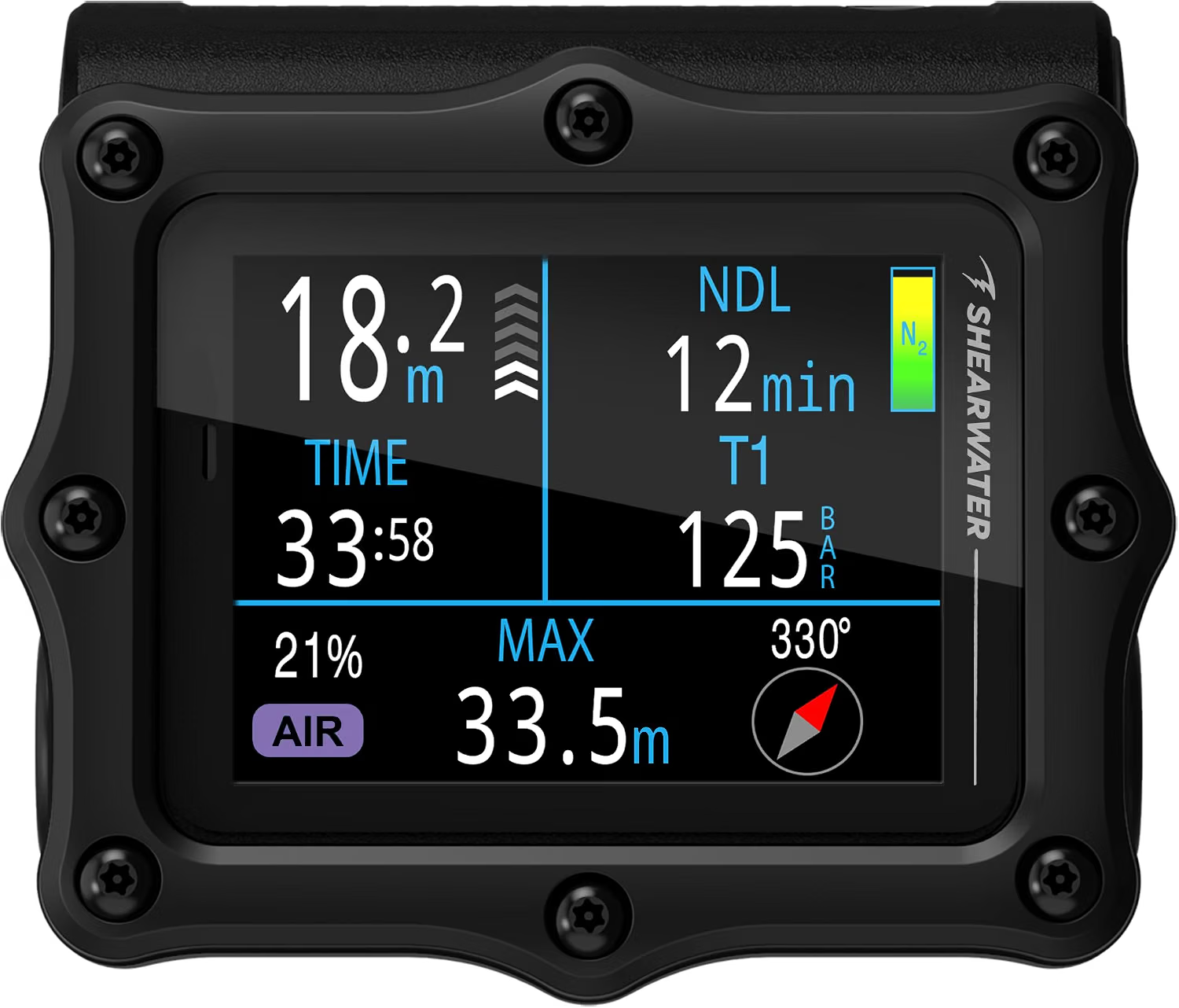
A seriously capable technical computer built for multi-gas, trimix, CCR and demanding diving.
👉 Full Review ↓ | 🛒 AMAZON PRICE →
🍎 11) Apple Watch Ultra 4 ($$$)
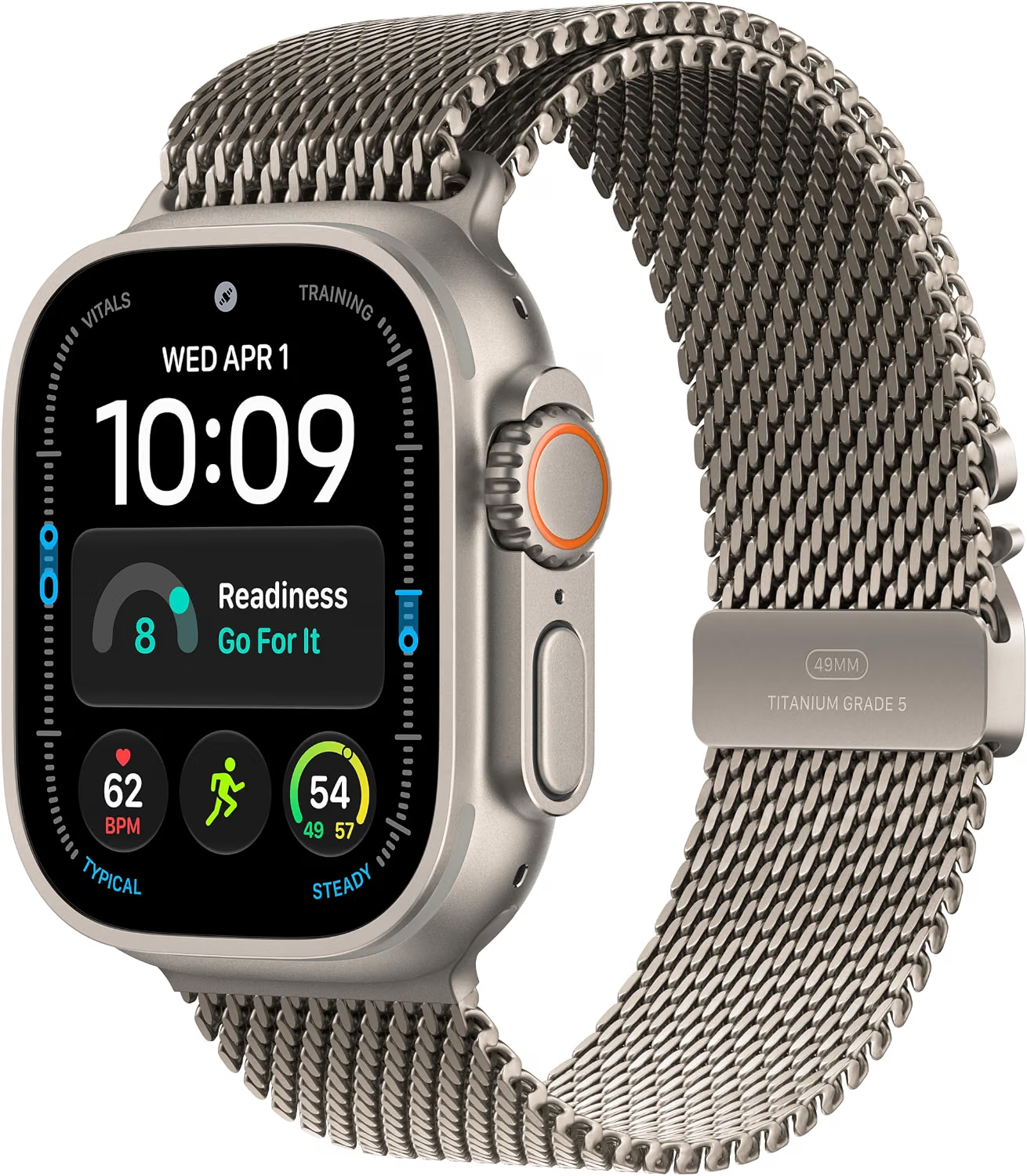
A premium everyday smartwatch that can double as a capable recreational dive computer with the right app.
👉 Full Review ↓ | 🛒 AMAZON PRICE →
📊 12) Scubapro Luna 2.0 AI ($$)
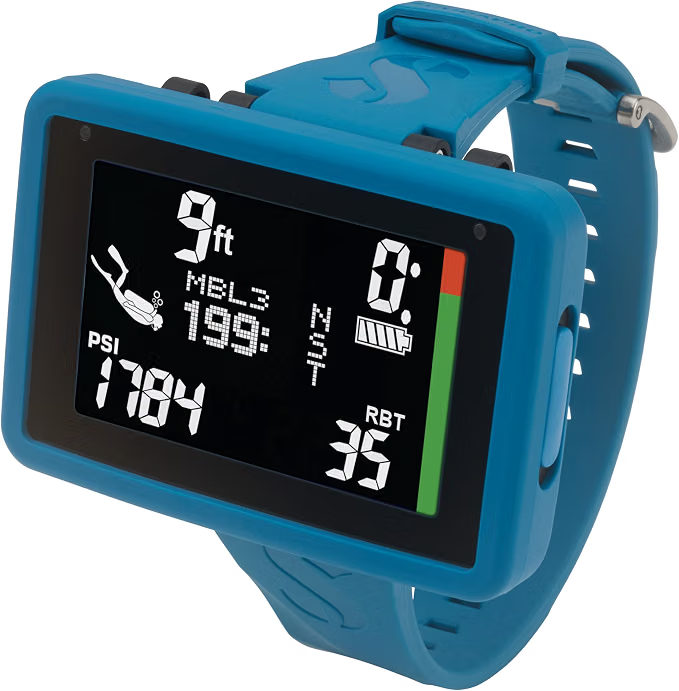
Air integration and optional biometric data give this one an unusually personalised approach to dive information.
👉 Full Review ↓ | 🛒 AMAZON PRICE →
🎛️ 13) Oceanic Pro Plus X ($$$)

The best console dive computer — full-colour display, hose-connected tank pressure and dive data in one unit!
👉 Full Review ↓ | 🛒 AMAZON PRICE →
👌 14) Shearwater Tern TX ($$$)
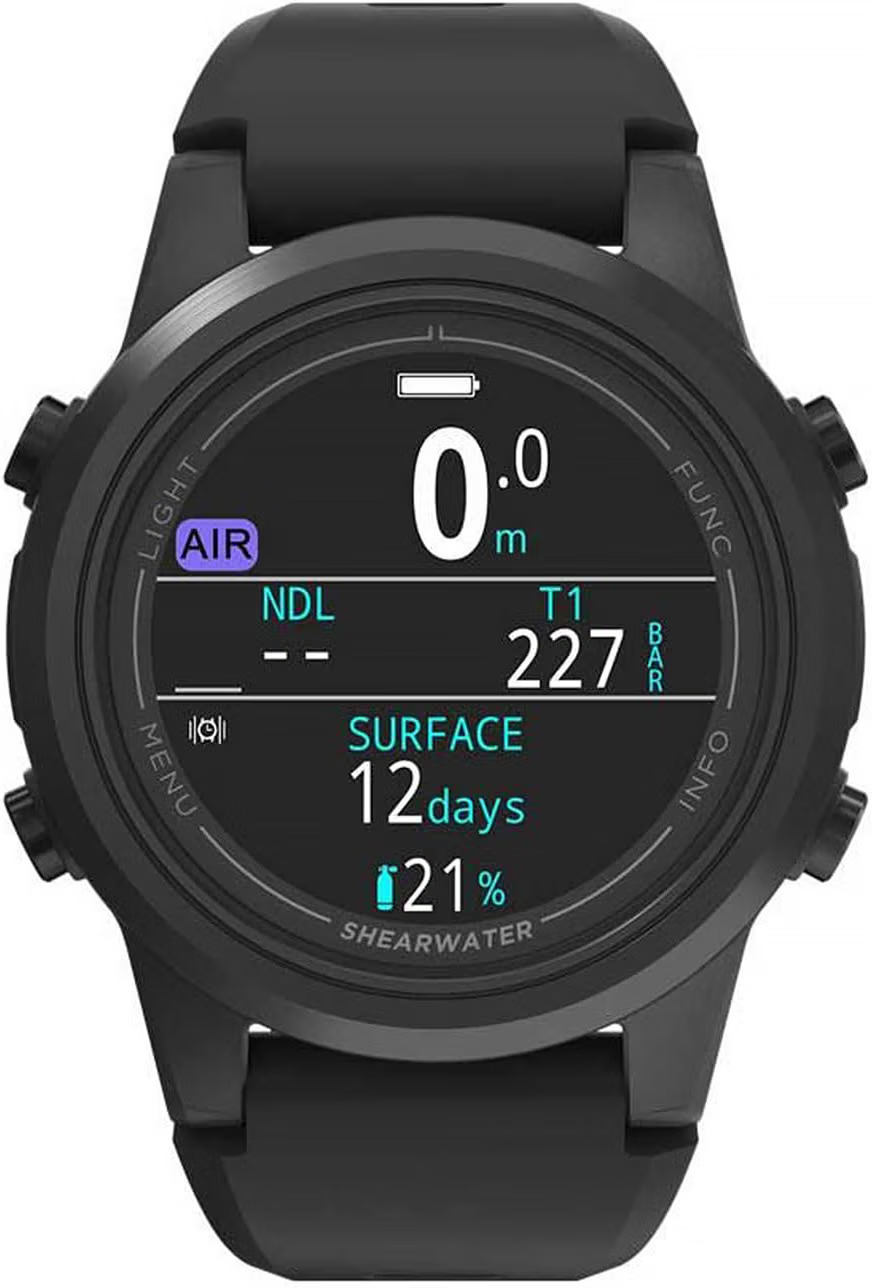
A compact AMOLED Shearwater with air integration and plenty of capability without the bulk of a larger computer.
👉 Full Review ↓ | 🛒 AMAZON PRICE →
♻️ 15) Garmin Descent G2 ($$)
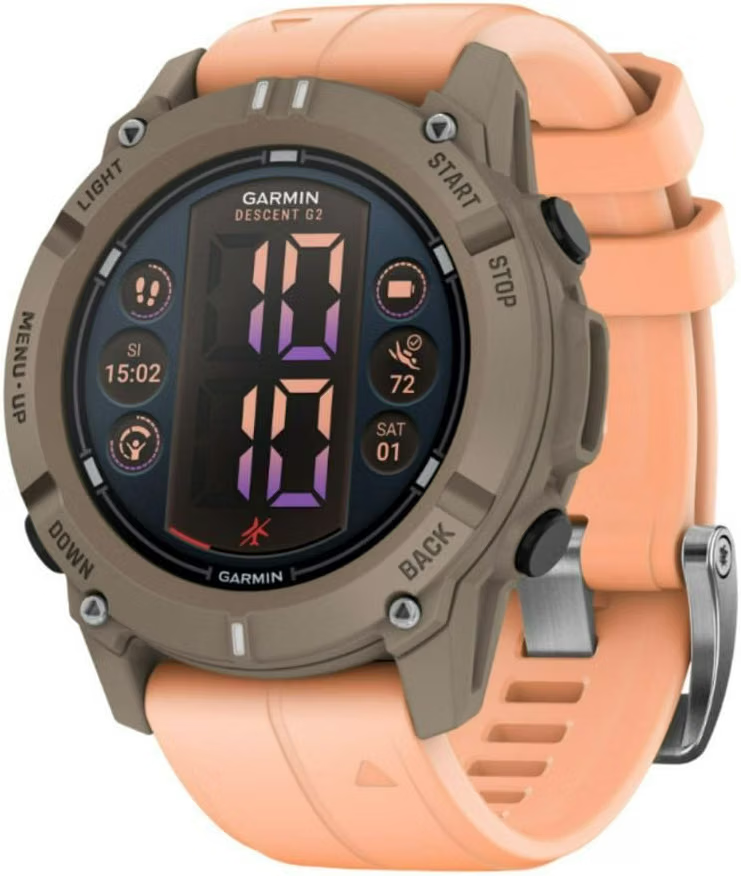
A capable AMOLED dive-and-sports watch with a housing, bezel and buttons made from recycled ocean-bound plastic.
👉 Full Review ↓ | 🛒 AMAZON PRICE →
🤓 ⌚ 📊 Confused by all this nerd-babble!?
Dive down to my Dive Computer Info, Terminology & Buying Guide ↓ for gratuitously nerdy explanations of air integration, dive modes, decompression algorithms, no-decompression limits, display types, battery life and all the other techy stuff that makes dive computers tick! 🤓⌚
⌚🤘📚 Reviews of the Best Dive Computers
🏆⌚ 1) My Top Pick: Shearwater Teric ($$$)

⭐ Quick Verdict
The Shearwater Teric is the best dive computer I’ve ever owned. It’s compact, ridiculously customisable and has one of the clearest displays I’ve used. Best of all, it’s incredibly easy to use, despite packing in enough features for everything from recreational diving to serious technical diving.
It’s kinda expensive, and plenty of divers simply won’t need everything it can do. But if you dive regularly and want one seriously capable computer you’re unlikely to outgrow, the Teric is my Top Pick.
The sapphire crystal AMOLED display is fucking gorgeous — bright, incredibly sharp and easy to read underwater. You can customise colours, layouts and what information gets prioritised, so the screen works around how you actually like to see your dive information.
Despite everything packed inside it, the Teric is surprisingly difficult to get confused by. The four-button interface is genuinely intuitive, the menus make sense and important information is obvious at a glance. I’ve watched enough divers get completely lost in their computer’s menus (derp) to appreciate how simple the Teric feels.
And there’s a shitload of capability hiding underneath that pretty display. Alongside air and nitrox, the Teric supports multiple gases, trimix, gauge, freediving and closed-circuit rebreather diving. It runs Bühlmann ZHL-16C with adjustable gradient factors, giving advanced divers greater control over decompression conservatism.

You also get a whopping 660 ft / 200 m depth rating, wireless charging and around 30 hours of dive time. As an instructor, that battery life is a game changer — I can dive for days without constantly thinking about charging it.
There’s also air integration with a separately purchased transmitter, letting you see your remaining air time directly on-screen, plus a 3-axis tilt-compensated digital compass.
The compass remains usable with your wrist tilted too, which sounds like a small detail until you actually try navigating underwater — being able to check your heading without carefully levelling your wrist makes it feel far more natural to use.
👍 Best For
- 🏆 Premium all-rounder — powerful, polished and easy to use
- 📈 Growing into — a computer you’re unlikely to outgrow
- 🤿 Recreational diving — incredibly capable without feeling complicated
- ⚙️ Technical diving — multi-gas, trimix and CCR ready
- 🎨 Customisation — colours, layouts and dive data
📌 Key Specs
- 📺 Display: 1.39″ 400 × 400 AMOLED
- 🌊 Depth Rating: 660 ft / 200 m
- 🧠 Algorithm: Bühlmann ZHL-16C with adjustable gradient factors
- 🛜 Air Integration: Yes – transmitter sold separately
- 🤿 Dive Modes: Air, Nitrox, Multi-Gas, Trimix, CCR, Gauge & Freedive
- 🧭 Compass: 3-axis tilt-compensated digital compass
- 💎 Screen: Sapphire crystal
- 🔋 Battery: Up to 30 hours diving
- ⚡ Charging: Wireless
⭐ Bottom Line
The Teric is expensive, but it genuinely feels like a dive computer you could buy once and keep for the rest of your life. It’s incredibly easy to use, beautifully designed and has enough capability, customisability and room to grow that I can’t imagine ever feeling limited by it.
Whether you’re a new recreational diver or heading deep into technical diving, the Teric can comfortably come along for the entire journey. If you want a premium dive computer that’s easy to use, packed with features and incredibly hard to outgrow, the Teric is about as close to a forever dive computer as it gets.
🤓 Want the super-nerdy uber-detailed version? Read my full Shearwater Teric Review →
💰⌚ 2) Best Value Dive Computer: Suunto D5 ($$)
⭐ Quick Verdict
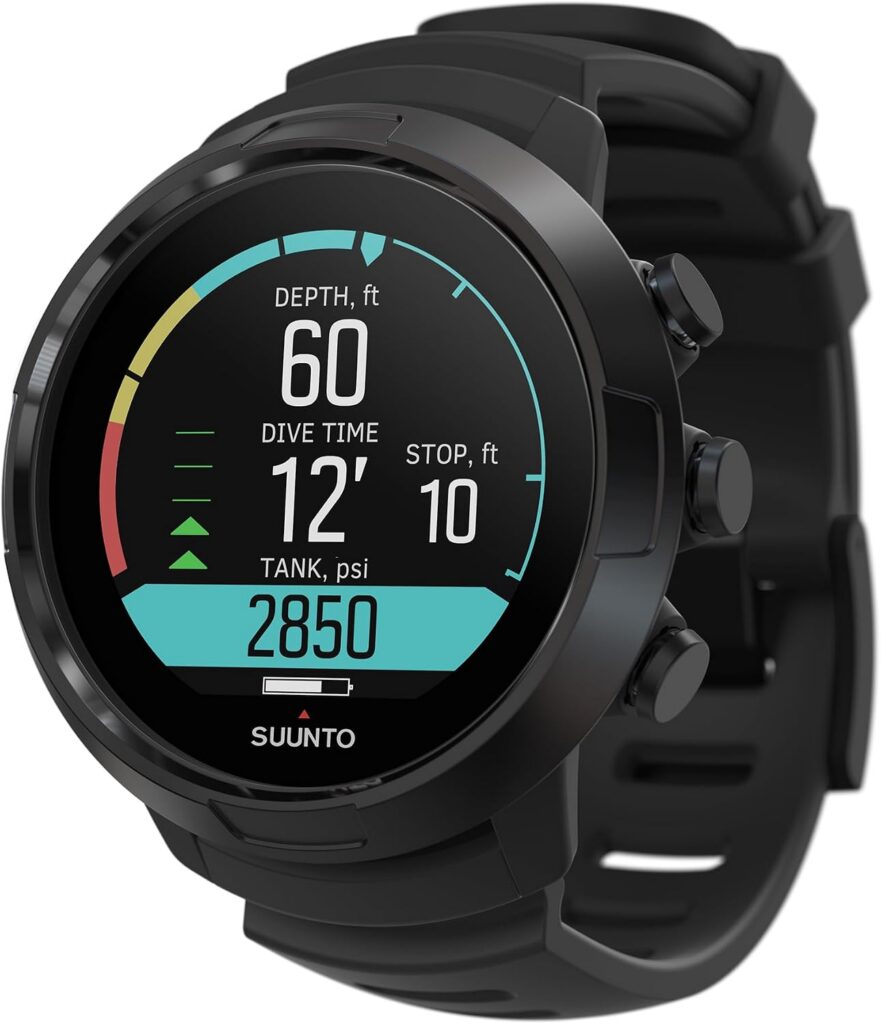
The Suunto D5 is one of the best-value dive computers you can buy right now. It’s stylish, incredibly easy to use and gives you a beautiful full-colour display alongside air integration, a digital compass and plenty of customisation.
I bought mine years ago when it was considerably more expensive, and I loved it even then. Now that the newer Suunto Ocean sits above it in Suunto’s range, the D5 can be picked up for much less — and that’s where things get interesting.

My dive-computer journey went Zoop Novo → D5 → Teric, and I still remember how ridiculous the upgrade to the D5 felt. After years staring at the Zoop’s chunky monochrome screen, suddenly having a bright colour display and sleek stainless-steel bezel on my wrist felt like I’d skipped forward about two decades. It was also the first dive computer I’d owned that actually felt like something I might willingly wear when I wasn’t underwater.
It’s also wonderfully difficult to get confused by. Three buttons control everything, the menus are straightforward and the important dive information is big, colourful and obvious. You really don’t need to be a gear nerd to get along with it.
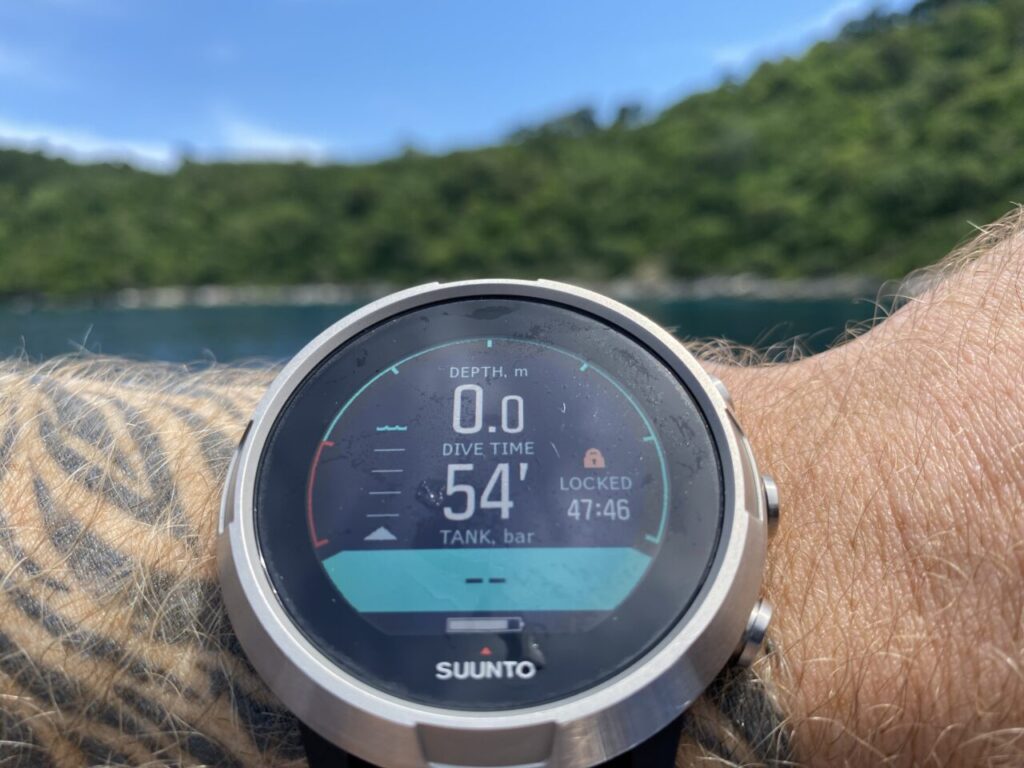
There’s a decent amount of capability hiding underneath that pretty screen too. The D5 runs Suunto Fused RGBM 2, with adjustable personal settings, and supports air/nitrox, freediving and gauge modes.
There’s also a built-in digital compass and air integration with a separately purchased Suunto Tank POD, letting you see tank pressure and remaining gas time directly on the display.
The main compromise is battery life. You’re looking at around 6–12 hours of diving, so unlike my Teric, which I can happily drag through days of instructor work, the D5 likes seeing its charger rather more often.
Still, I was happy with the D5 when I paid considerably more for mine. At today’s prices, I’d be even happier — which is exactly why it earns my Best Value spot.
👍 Best For
- 💰 Value for money — premium feel without flagship pricing
- 🤿 Recreational diving — beginner through experienced
- 👀 Easy readability — bright, colourful display
- 🧠 Simple operation — intuitive three-button interface
- 🛜 Air integration — compatible with Suunto Tank POD
- ⌚ Watch-style design — compact and good-looking (like me!)
📌 Key Specs
- 📺 Display: Full-colour LED
- 🌊 Depth Rating: 328 ft / 100 m
- 🧠 Algorithm: Suunto Fused RGBM 2
- 🛜 Air Integration: Yes – Suunto Tank POD sold separately
- 🤿 Dive Modes: Air/Nitrox, Freedive & Gauge
- 🧭 Compass: Digital, tilt-compensated
- ✨ Bezel: Stainless steel
- 🔋 Battery: Around 6–12 hours diving
- ⚡ Charging: Rechargeable
⭐ Bottom Line
The D5 might not be Suunto’s newest shiny toy anymore, but that’s precisely why I like recommending it now. You’re getting what was designed as a premium recreational dive computer at a much more approachable price.
It’s colourful, intuitive, stylish and has pretty much everything most recreational divers actually need. If you want something noticeably more premium than a basic entry-level computer without disappearing down the seriously-expensive rabbit hole, the D5 hits a fantastic sweet spot.
🤓 Want the nerdily detailed version? Read my full Suunto D5 Review →
🤑🤿 3) Cheapest Dive Computer: Cressi Leonardo ($)
⭐ Quick Verdict
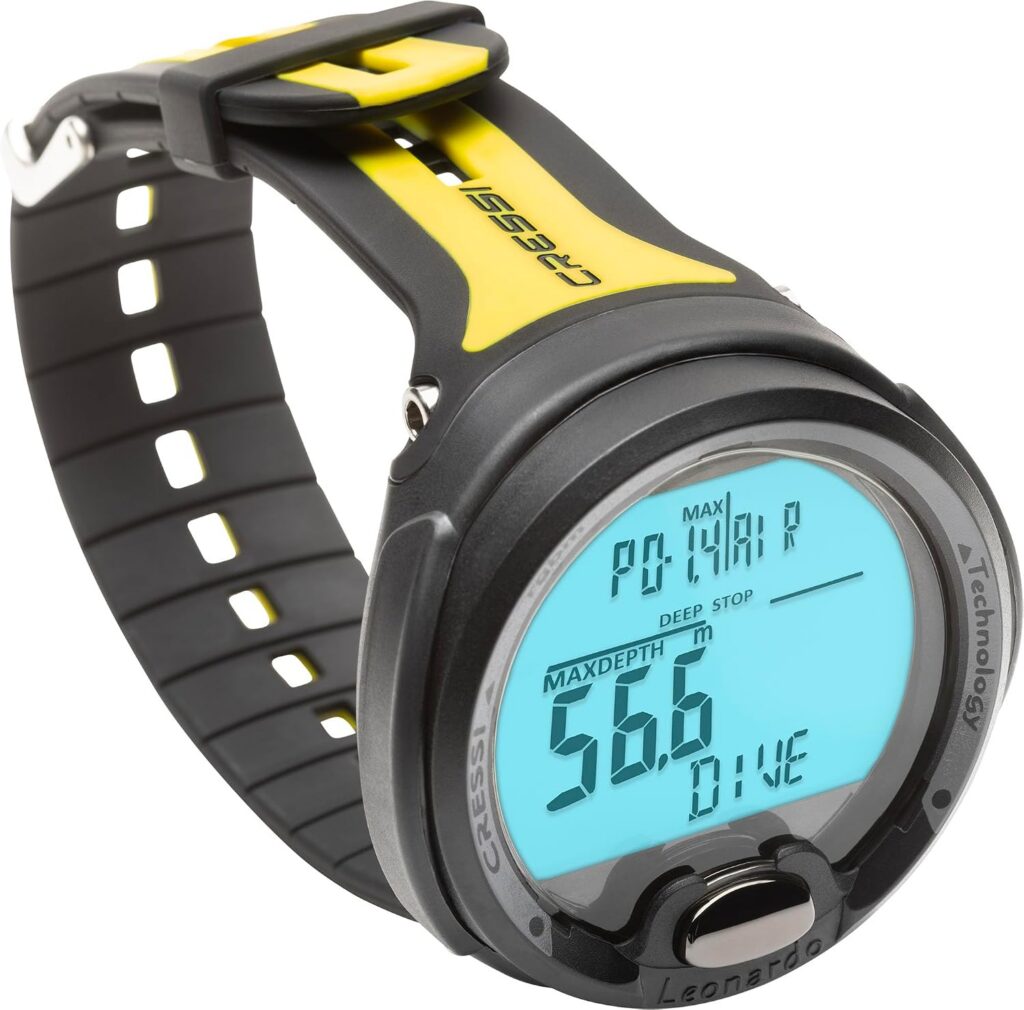
The Cressi Leonardo is the cheapest dive computer in this guide. It gives you the stuff that actually matters underwater — current and maximum depth, dive time, remaining no-decompression time, ascent rate, temperature and safety-stop information — without burying it beneath a mountain of fancy extras.
There’s no compass, air integration, smartwatch wizardry or beautiful colour display. Instead, it’s chunky, old-school and looks a bit like someone strapped a microwave to your wrist. But it’s cheap, tough and stupidly easy to use, which is exactly why Leonardos have been kicking around dive centres and rental fleets for years.

The Leonardo’s greatest strength is that there really isn’t much to get confused by. One massive button controls the entire computer: press to scroll, hold to select. Even wearing thick gloves, you’re unlikely to spend your dive wondering which tiny button you’re supposed to poke.
There is a downside to that simplicity though. Miss the setting you wanted and you’re going around again. It’s a bit like missing your motorway exit, except considerably cheaper and presumably you’re wearing a wetsuit.
The huge monochrome display is another big win. The digits are massive, information is clearly separated and there’s a backlight for darker conditions. The trade-off is obvious: the Leonardo is almost comically massive — big enough that it can sometimes catch on your BCD while you’re gearing up. It’s great underwater, but this probably isn’t the dive computer you’ll still be wearing at the pub afterwards.
Functionality is deliberately basic. You get Air, Nitrox and Gauge modes, adjustable conservatism, audible alarms and a sizeable dive log. There’s no dedicated freediving mode, compass or air integration — but for straightforward recreational scuba diving, it does everything most divers actually need.
One feature I particularly like at this price is the user-replaceable CR2430 battery. It lasts roughly 150 dives and you can swap it yourself without special tools — considerably nicer than discovering a dead rechargeable computer halfway through a dive trip.
I’ve seen plenty of Leonardos around dive centres over the years, and I completely understand why they’re so popular. They’re cheap, uncomplicated and built for people who want to go diving rather than spend twenty minutes fiddling with their wrist.
👍 Best For
- 🤑 Cheapest option — maximum function for minimum cash
- 🐣 Beginners — extremely simple to understand
- 🤿 Recreational diving — all the essentials, very little fluff
- 👀 Easy readability — enormous display and digits
- 🧱 Dive-centre durability — chunky, simple and tough
📌 Key Specs
- 📺 Display: Large monochrome LCD
- 🌊 Max Dive Depth: 393 ft / 120 m
- 🛜 Air Integration: No
- 🤿 Dive Modes: Air, Nitrox & Gauge
- 🧭 Compass: No
- 📖 Dive Log: Approx. 70–75 hours
- 🔋 Battery: CR2430, approx. 150 dives
- 🔧 Battery Replacement: User-replaceable
⭐ Bottom Line
The Leonardo is basically the anti-Teric — cheap, enormous and completely uninterested in impressing you with fancy technology. But that simplicity is precisely what makes it such a good first dive computer.
If you’re buying your first computer, want a cheap backup or simply don’t give a shit about smart features, the Cressi Leonardo is one of the best cheap dive computers you can buy — and proves that a perfectly capable dive computer doesn’t have to cost much at all.
🔥 4) Hot New Pick — Suunto Ocean ($$)
⭐ Quick Verdict
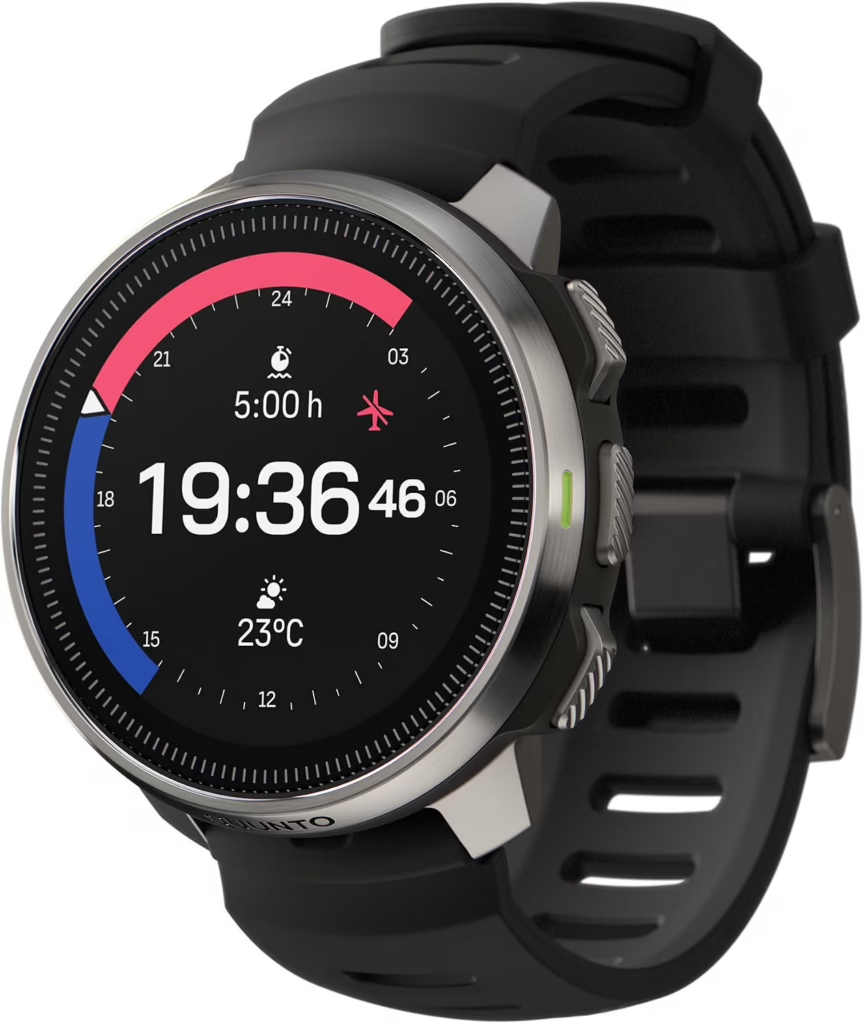
The Suunto Ocean takes what I loved about my D5 and turns it into a proper dive-and-sports smartwatch. You still get a gorgeous colour display and serious dive functionality, but now there’s GPS, heart-rate monitoring, sleep and recovery tracking, offline maps and 115+ sports modes packed in too. As a D5 owner, I’m trying not to be jealous. I’m failing.
It also brings a bigger AMOLED display, vastly better battery life and Suunto’s newer Bühlmann algorithm. If you want one watch for diving, training, travelling and everyday life, the Ocean is an absolute powerhouse.
The centrepiece is that 1.43″ AMOLED touchscreen. It’s big, bright and ridiculously sharp, with sapphire crystal and a stainless-steel bezel giving the whole thing a properly premium feel. At 49.9 mm it’s certainly not tiny, but you’re getting a shit ton of screen in return.
Underwater, the Ocean uses Suunto Bühlmann 16 GF, with adjustable gradient factors and support for recreational single-gas diving, multi-gas diving and freediving.
Battery life is real nice too: up to 40–60 hours of diving, compared with roughly 6–12 hours from the D5. Suunto says it can manage up to four days with three dives per day plus normal activity between them. As an instructor, that’s the kind of battery life I’d absolutely love to have.
There’s also a digital compass and air integration with a separately purchased Suunto Tank POD, displaying tank pressure, gas consumption and remaining gas time directly on your wrist.
One of the coolest features is underwater route tracking. The Ocean uses its sensors alongside GPS data from the beginning and end of your dive to reconstruct your underwater route, which you can explore afterwards in the Suunto app. Basically, you can finally discover where the hell you actually went down there.
Above water is where it really separates itself from the D5. You’ve got 115+ sports modes, dual-band GPS, offline maps, wrist heart-rate monitoring, sleep and recovery tracking, weather features and all the usual activity data. This isn’t a dive computer desperately pretending to be a smartwatch — it’s genuinely both.
👍 Best For
- 🤿 Recreational diving — powerful without being intimidating
- 🏃 Sports & fitness — 115+ activity modes
- 🗺️ Adventurers — GPS, offline maps & route tracking
- 🛜 Air integration — compatible with Suunto Tank POD
- 🔋 Dive trips — excellent battery life
- ⌚ One-watch people — dive computer + sports watch in one
📌 Key Specs
- 📺 Display: 1.43″ 466 × 466 AMOLED
- ✨ Bezel: Stainless steel
- 🌊 Max Dive Depth: 197 ft / 60 m
- 🛜 Air Integration: Yes (Suunto Tank Pod sold separately)
- 🤿 Dive Modes: Single Gas, Multi-Gas & Freedive
- 🧭 Compass: Digital, tilt-compensated
- 🗺️ Navigation: Dual-band GPS + offline maps
- 🏃 Sports: 115+ sport modes
- 🔋 Dive Battery: 40–60 hours (smartwatch battery up to 16 days)
⭐ Bottom Line
The Suunto Ocean is for someone who looks at a dive computer and thinks, “Yeah, but what can it do for the other 22 hours of my day?” Quite a lot, as it turns out.
It combines a genuinely capable dive computer with the sports, navigation and everyday features of a proper adventure watch — without either side feeling like an afterthought. If I wanted one watch to wear for pretty much everything I do in and out of the water, the Suunto Ocean would be it.
5) Suunto Nautic S — Hot New Model 🔥 ($$$)
⭐ Quick Verdict
The Suunto Nautic S is one of Suunto’s most exciting recent dive computers — combining a gorgeous 1.43-inch AMOLED display, advanced diving capabilities and wireless air integration in a stylish, wrist-sized package.
Think of it as a modern dive watch that puts serious underwater functionality ahead of fancy everyday smartwatch features. With up to 60 hours of dive battery life, customisable displays and support for multiple gases, it’s an impressive option for recreational divers and those progressing into technical diving.
Released in late 2025, the Suunto Nautic S packs some seriously impressive diving technology into a sleek, watch-style design. Unlike the Suunto Ocean, which doubles as a sports smartwatch, the Nautic S is built primarily for diving.
Its beautiful 1.43-inch AMOLED display delivers bright colours, crisp dive data and customisable screens, while the digital compass and configurable alarms help keep you informed underwater.
Under the hood, things get even nerdier. You get Suunto’s Bühlmann 16 GF algorithm with adjustable gradient factors, multigas support, Freedive mode and wireless air integration via an optional Suunto Tank POD.
That’s some serious functionality for a computer that looks perfectly at home on your wrist!
The Nautic S also features GPS, offline maps and underwater route tracking, plus Suunto App connectivity for reviewing your dives afterwards.
Battery life is another highlight, with up to 60 hours of diving per charge — plenty for a dive holiday without constantly hunting for a charger.
It’s certainly more computer than most beginners need, but for divers wanting a beautiful, modern dive computer with serious room to grow, the Nautic S is a very exciting option.
👍 Best For
- 🔥 Latest Technology — modern features and sleek design
- 🌈 Colour Display — gorgeous 1.43-inch AMOLED screen
- 🤿 Recreational & Technical Diving — advanced functionality
- 🛜 Air Integration — optional wireless tank-pressure monitoring
- 🧭 Navigation — digital compass, GPS and offline maps
- 🔋 Dive Holidays — up to 60 hours of battery life
📌 Key Specs
- 📺 Display: 1.43-inch AMOLED, 466 × 466
- 🌊 Max Dive Depth: 262 ft / 80 m
- 🛜 Air Integration: Yes, optional Tank POD
- 🤿 Dive Modes: Single Gas, Multigas, Freedive & more
- 🧭 Compass: Yes, digital
- 🗺️ GPS & Offline Maps: Yes
- 📖 Dive Planner: Yes
- 🔋 Battery: Rechargeable, up to 60 hours diving
⭐ Bottom Line
The Suunto Nautic S is one of the most exciting new dive computers on the market, combining a stunning AMOLED display, advanced diving features and impressive battery life in a compact package.
It’s not the cheapest option, but for divers who want cutting-edge underwater technology without all the everyday smartwatch extras, it’s a seriously tempting choice!
🆕🤿 6) Best Modern Dive Computer for Budget Buyers: Mares Puck 4
⭐ Quick Verdict
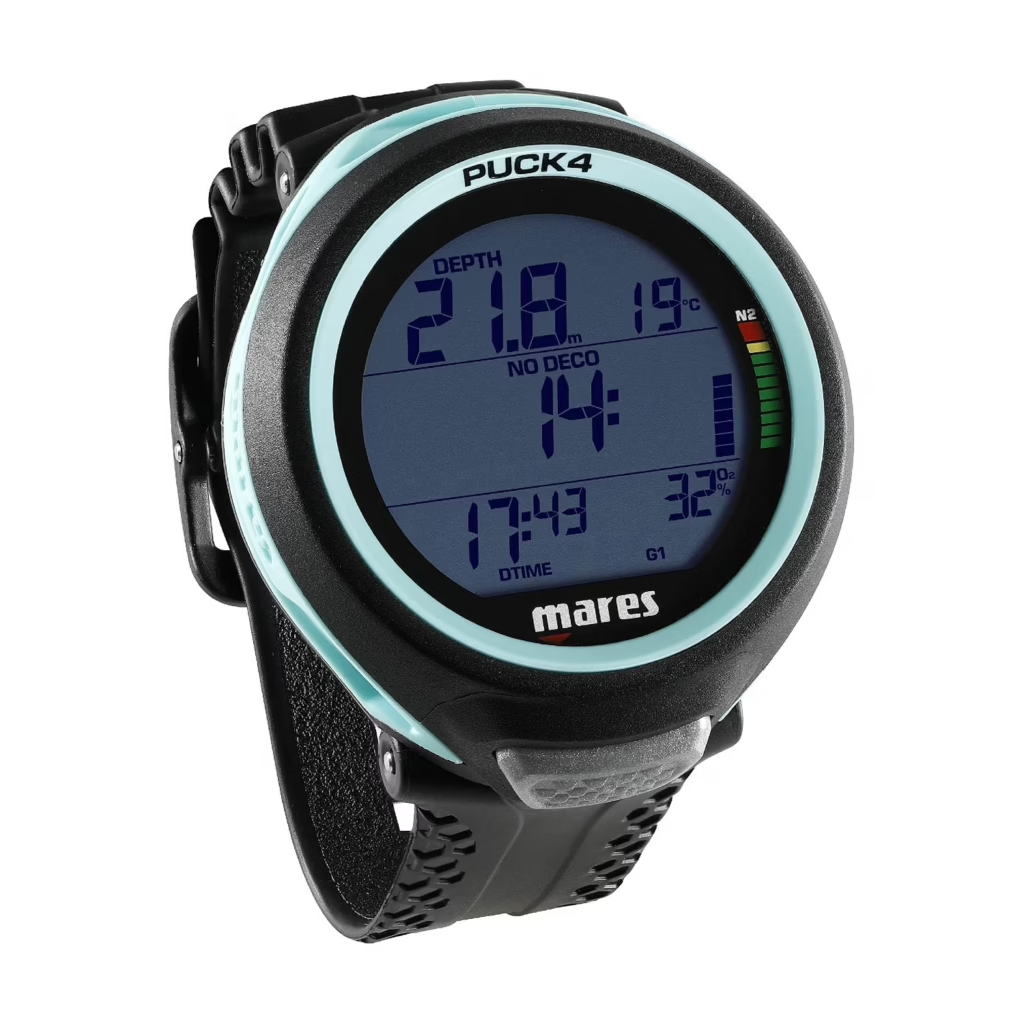
The Mares Puck 4 is for divers who want newer dive-computer tech without their bank account having to get involved in an emergency. It keeps the huge display and wonderfully simple one-button controls of old-school computers, but adds Bluetooth, multi-gas capability and much more control over your decompression settings.
There’s still no compass, air integration or fancy colour screen. But compared with old faithfuls like the Leonardo and Zoop Novo, the Puck 4 feels considerably more 2026 without costing considerably more money.
Mares has stuck with its classic formula: one button, one big screen and very little opportunity to wonder what on Earth you’re supposed to press. Of course, one button also means occasionally scrolling straight past what you wanted and having to take another lap around the menu.
The big upgrade is built-in Bluetooth. Dives transfer directly to the Mares app on your phone, complete with dive-profile graphs, and you can install firmware updates without buying a separate cable or clip. Welcome to the future, Puck.
There’s surprisingly serious stuff hiding underneath that simple exterior too. You get Air, Nitrox and Bottom Timer modes, a decompression planner and multi-gas support for up to three gases. It also runs Bühlmann ZH-L16C with adjustable gradient factors, giving more experienced divers much more control over decompression settings.
The logbook stores 100 dives, while the user-replaceable CR2450 battery lasts around 100 dives. There’s still no compass or air integration, but that’s a pretty respectable pile of features for something called a Puck.
And I actually quite like the way it looks. The swirling designs around the display are available in several colours and give it considerably more personality than most cheaper computers. It still looks unmistakably like dive gear — just dive gear that’s made an effort.
👍 Best For
- 🆕 Newer tech for less — modern features without premium pricing
- 🔘 Keeping things simple (duhh) — one button wonder does everything
- 📱 Easy dive logging — built-in Bluetooth
- 🧪 Multi-gas diving — supports up to three gases
- ⚙️ Room to grow — adjustable gradient factors
- 🎨 Not looking boring — several colourful designs
📌 Key Specs
- 📺 Display: 800-segment monochrome
- 🌊 Max Dive Depth: 492 ft / 150 m
- 🛜 Air Integration: No
- 🤿 Dive Modes: Air, Nitrox & Bottom Timer
🧪 Multi-Gas: Up to 3 gases
- 🧭 Compass: No
- 📱 Connectivity: Built-in Bluetooth
- 📖 Dive Log: 100 dives
- 🔋 Battery: CR2450, approx. 100 dives
- 🔧 Battery Replacement: User-replaceable
⭐ Bottom Line
The Puck 4 sits in a really useful little gap. You get much of the simplicity and affordability of the old-school computers, but Bluetooth, multi-gas support and adjustable gradient factors make it feel far less stuck in the past.
It’s not trying to be a Teric for a fraction of the money — and thank God, because it would probably need another seven buttons. If you want newer dive-computer tech while keeping spending under control, the Puck 4 hits a very nice sweet spot – whilst also looking pretty damn hot 😘.
⌚🤿 7) Best Dive Computer with Smartwatch: Garmin Descent Mk3i ($$$)
⭐ Quick Verdict
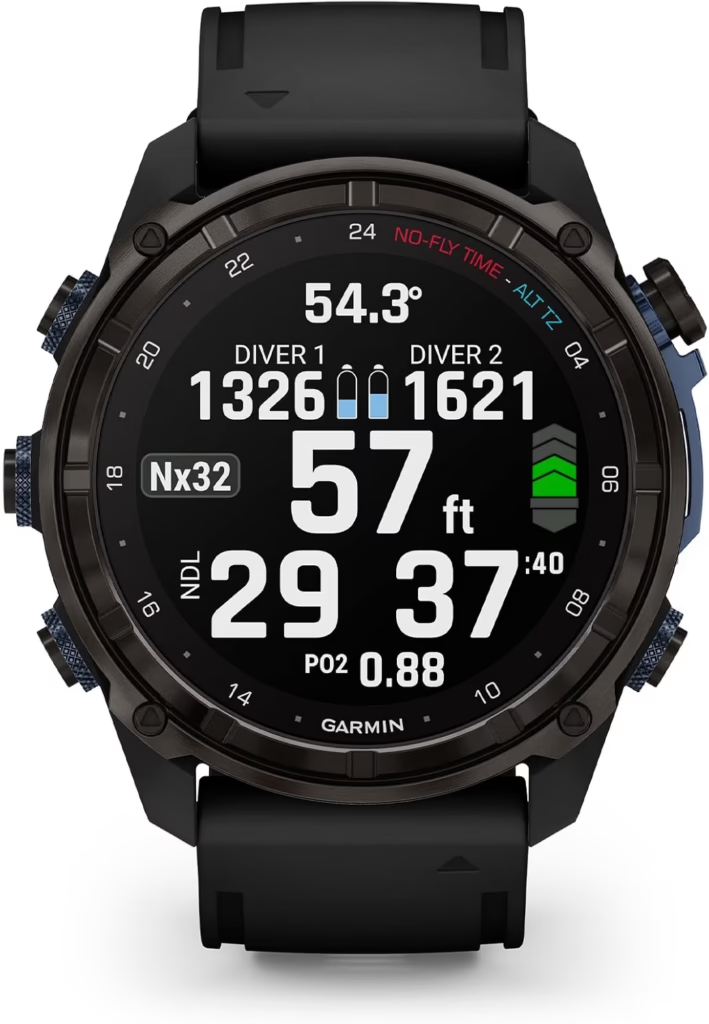
The Garmin Descent Mk3i is what happens when an extremely advanced dive computer and an extremely advanced smartwatch (who love each other very much) have a ridiculously expensive baby. It combines a gorgeous AMOLED display, air integration and full technical-diving capability with Garmin’s enormous collection of sports, fitness, navigation and everyday smartwatch features.
It’s spectacularly expensive and complete overkill for someone who just wants to know their depth and NDL. But if you want one seriously capable watch for diving, training, travelling and everyday life, the Mk3i is easily one of the most impressive dive computers in this guide.
The Suunto Ocean already does a great job of combining diving with a sports watch. The Mk3i takes that concept to 11.
The 51 mm version has a beautiful 1.4-inch AMOLED touchscreen, sapphire crystal, titanium bezel and enormous 656 ft / 200 m depth rating. There’s even a built-in LED flashlight for wrecks, signalling or finding whatever you dropped under the dive-centre bench.
Above water, the Mk3i is essentially a high-end Garmin smartwatch in its own right. You get multi-band GPS and full-colour maps, heart-rate monitoring, sleep and recovery tracking, training readiness and training status, plus loads of sports and fitness features. There’s also music storage, smart notifications and Garmin Pay, so this can genuinely replace your everyday smartwatch rather than becoming something you only wear when diving.
And some of that fitness tech follows you underwater too. The Mk3i can track wrist-based heart rate during dives, while Garmin’s Dive Readiness feature uses things like sleep, exercise, stress and jet lag to help you judge how prepared you are before getting in the water.
Underneath all that smartwatch wizardry is a seriously advanced dive computer. You get Single-Gas, Multi-Gas, Gauge, CCR and freediving modes, plus support for nitrox and trimix. There’s also an underwater compass, DiveView maps with 4,000+ dive sites and automatic syncing with the Garmin Dive app.
Air integration gets pretty wild too. Pair it with Garmin’s separately purchased Descent T2 transceivers and the SubWave system can monitor pressure across up to eight tanks. It can also show the depth and tank pressure of other compatible divers and even send preset diver-to-diver messages underwater.
Battery life is excellent: up to 66 hours in dive mode, 40 hours with air integration or 25 days in smartwatch mode.
The obvious downside is price. For an occasional recreational diver, this is wildly more computer than you need. But if you dive, train and adventure regularly and want one premium watch capable of doing almost everything, the Mk3i starts making considerably more sense.
👍 Best For
- ⌚ Smartwatch lovers — a proper premium Garmin above and below the surface
- 🤿 Recreational & technical diving — enormous room to grow
- 🏃 Sports & fitness — extensive training, health and recovery features
- 🛜 Air integration — advanced SubWave system with Descent T2
- ⚙️ Technical divers — multi-gas, trimix and CCR capable
- 🗺️ Adventurers — GPS, mapping and serious navigation tools
📌 Key Specs
- 📺 Display: 1.4″ AMOLED touchscreen
- 🌊 Max Dive Depth: 656 ft / 200 m
- 🛜 Air Integration: Yes — Descent T2 / SubWave, up to 8 transmitters (sold separately)
- 🤿 Dive Modes: Single-Gas, Multi-Gas, CCR, Gauge, Apnea, Apnea Hunt & Pool Apnea
- 🧭 Compass: Built-in underwater compass
- 🗺️ Navigation: Multi-band GPS & DiveView maps
- ❤️ Heart Rate: Wrist-based monitoring, including underwater
- 🏃 Sports/Smart Features: Extensive Garmin health, fitness, navigation & smartwatch suite
- 🔋 Dive Battery: Up to 66 hours / 40 hours with air integration
- ⌚ Smartwatch Battery: Up to 25 days
- ⚡ Charging: Rechargeable
⭐ Bottom Line
The Mk3i is massive overkill for a lot of divers — and that’s sort of the point. It isn’t trying to be an affordable little computer that tells you your NDL. It’s trying to cram an advanced dive computer, premium Garmin smartwatch, sports watch and GPS navigator onto the same bit of wrist.
You can get an excellent dive computer for a fraction of the price. But if you’ll actually use everything it offers and want one watch that can follow you from a technical dive to a mountain trail to the gym and then the pub, the Garmin Descent Mk3i is an absolute monster.
🛜🤿 8) Best Dive Computer with Air Integration: Shearwater Peregrine TX ($$)
⭐ Quick Verdict
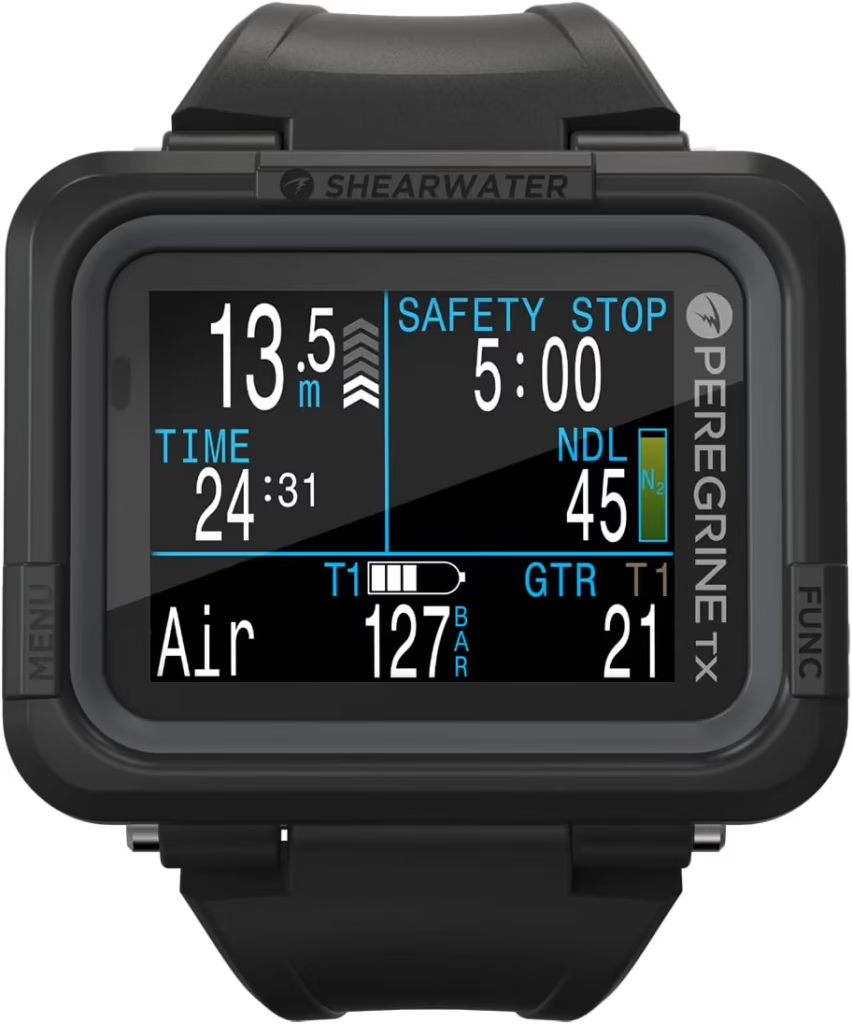
The Shearwater Peregrine TX is my pick for air integration because it has something watch-style computers don’t: a bloody huge screen. Its 2.2-inch colour display gives your tank pressure, Gas Time Remaining and normal dive data plenty of room instead of cramming everything onto your wrist.
It supports up to four transmitters, works brilliantly for sidemount and still has Shearwater’s wonderfully simple interface. If you want air integration and actually want to see all that extra information clearly, this thing makes a lot of sense.
The Peregrine TX is an absolute unit. Rather than pretending to be a smartwatch, its big rectangular body is basically built around one thing: showing you loads of dive information really clearly underwater.
And that’s particularly useful for air integration. Pair it with a transmitter and you can see tank pressure and calculated Gas Time Remaining alongside your depth, NDL and other dive data. Plenty of computers offer air integration — the Peregrine TX simply gives all that extra information somewhere spacious to live.
Its 2.2-inch full-colour screen is huge compared with watch-style computers, and can display multiple pieces of information without everything feeling crammed together. If I’m paying extra to beam my tank pressure onto my wrist, I’d quite like to be able to bloody see it.
It supports up to four transmitters, with dedicated sidemount functionality for divers using multiple cylinders. Navigation is handled by two chunky front buttons that are simple to operate even in thick gloves — very Shearwater.
Underneath all that screen space is a seriously capable computer. You get Air, Nitrox, 3-Gas Nitrox and Gauge modes, full decompression support and a built-in deco planner, running Bühlmann ZHL-16C with adjustable gradient factors. There’s no trimix or CCR support — that’s Perdix territory.
There’s also a 3-axis tilt-compensated digital compass, vibration alerts and Bluetooth syncing with the Dive Shearwater app for logs and firmware updates. The onboard logbook stores around 400 hours / 750 dives, so you’re not going to fill the bloody thing anytime soon.
It’s depth-rated to 394 ft / 120 m, while battery life is around 30 hours with convenient wireless charging. Just remember that transmitters are sold separately, so the computer’s price isn’t the final bill if you actually want air integration.
👍 Best For
- 🛜 Air integration — loads of screen space for your gas data
- 👀 Easy readability — huge 2.2-inch colour display
- ⏱️ Gas monitoring — tank pressure & Gas Time Remaining
- 🧯 Multiple cylinders — supports up to four transmitters
- 🤿 Sidemount — dedicated multi-cylinder functionality
📌 Key Specs
- 📺 Display: 2.2″ full-colour LCD
- 🌊 Max Dive Depth: 394 ft / 120 m
- 🛜 Air Integration: Yes — up to 4 transmitters (sold separately)
- ⏱️ Gas Data: Tank pressure & Gas Time Remaining
- 🤿 Dive Modes: Air, Nitrox, 3-Gas Nitrox & Gauge
- ⚙️ Algorithm: Bühlmann ZHL-16C with adjustable gradient factors
- 🧭 Compass: 3-axis tilt-compensated digital compass
- 📱 Connectivity: Bluetooth
- 📖 Dive Log: Up to 400 hours / approximately 750 dives
- 🔋 Battery: Up to 30 hours
- ⚡ Charging: Wireless
⭐ Bottom Line
The Peregrine TX doesn’t just have air integration — it virtually IS air integration. That enormous display gives all your extra gas data somewhere decent to live.
If you want your depth, NDL, tank pressure and remaining gas information clearly visible together, rather than crammed onto a watch-sized screen, the Peregrine TX is bloody good at its job.
It’s chunky, the transmitters cost extra and serious tech divers may eventually want a Perdix. But for recreational and advancing divers who prioritise air integration and readability, this hits a very nice sweet spot.
📟👀 9) Best Affordable Large-Screen Dive Computer: Cressi Raffaello ($$)

⭐ Quick Verdict
The Cressi Raffaello takes one of the biggest advantages of premium computers like the Peregrine TX — a great big ol’ rectangular display — and gives it to you for considerably less money. Its huge digits give your important dive data loads of room and make everything incredibly easy to read at a glance.
The trade-off is that it’s much more basic. There’s no colour display,no air integration and no smartwatch functionality – but hey, you still get four dive modes, three-gas Nitrox support and a built-in compass. If readability matters more to you than fancy tech, the Raffaello makes a hell of a lot of sense.
Cressi has kept the controls equally straightforward. Two chunky metal buttons sit beneath the screen, making the menus easy to work through even when you’re wearing gloves.
It runs Cressi’s RGBM algorithm, with adjustable conservatism and PPO2 settings, and can handle decompression diving. There are also audible alarms for excessive ascent speed, deco and PPO2 violations — because no dive computer is truly happy until it’s had a reason to shout at you underwater.
The Raffaello records dive data every five seconds and can transfer logs to Cressi’s app, although there’s a catch: Bluetooth isn’t built in. You’ll need Cressi’s optional external interface if you want wireless syncing.
It’s also depth-rated to 394 ft / 120 m, which is hilariously deeper than virtually anyone buying this computer is ever going to take it. Still, it means the Raffaello has plenty of capability beyond the straightforward recreational diving its simple design might suggest.
One feature I actually really like is the battery. It’s user-replaceable and rated for around four years, so there’s no charging cable to pack and no discovering at 6:45am that your dive computer has 11% battery.
👍 Best For
- 👀 Easy readability — designed around maximum underwater visibility
- 💰 Large-screen value — lots of display without the premium price
- 🤿 Recreational diving — straightforward and easy to operate
- 🧪 Multi-gas diving — more capable than its simple appearance suggests
- 🔋 Low maintenance — long-lasting replaceable battery
📌 Key Specs
- 📺 Display: Large rectangular monochrome display
- 🌊 Max Dive Depth: 394 ft / 120 m
- 🛜 Air Integration: No
- 🤿 Dive Modes: Air, Nitrox, Gauge & Freedive
- 🧪 Gas Switching: Up to 3 Nitrox mixes
- 🧭 Compass: Built-in digital compass
- 📱 Connectivity: Optional Bluetooth interface
- 🔋 Battery: Approx. 4 years
- 🔧 Battery Replacement: User-replaceable
⭐ Bottom Line
The Raffaello’s biggest appeal is giving you that big rectangular dive-computer experience without the big price tag. Some divers just prefer having a massive screen with all their important dive data spread out clearly in front of them — and I completely get why.
You’re still getting multi-gas support, a compass, four dive modes and a battery that lasts for years. If you want plenty of actual dive capability wrapped around a gloriously chunky, easy-to-read screen, the Raffaello gives you a hell of a lot for the money.
⚙️🤿 10) Best Dive Computer for Technical Diving: Shearwater Perdix 3 ($$$)
⭐ Quick Verdict
The Shearwater Perdix 3 is where we stop messing around and get properly technical. This is Shearwater’s flagship full-size computer, built for divers managing trimix, multiple gases, decompression and closed-circuit rebreathers — basically the sort of dives where your computer needs to do considerably more than tell you when it’s time to go up.
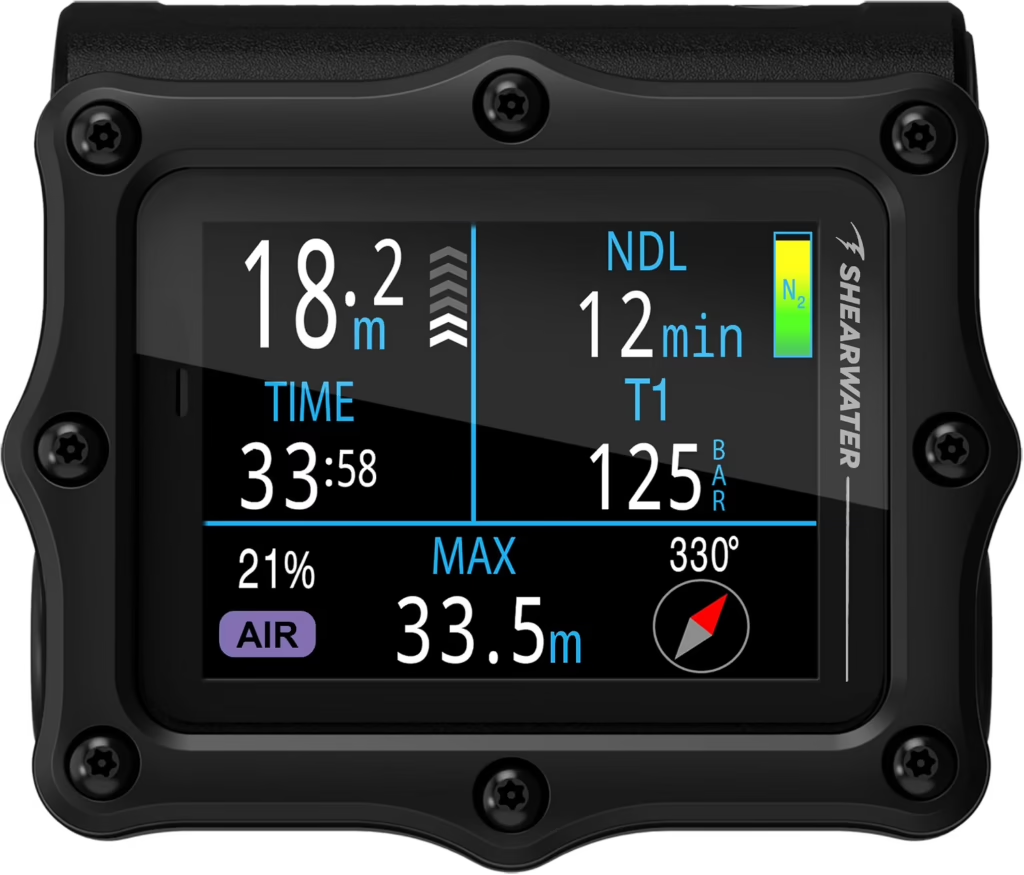
It’s expensive, chunky and complete overkill for most recreational divers. But you’re getting serious technical capability, a rugged expedition-grade build, four-transmitter air integration and an extremely customisable 2.4-inch AMOLED display. If your diving is becoming increasingly complicated, the Perdix 3 is designed to keep up with it.
So what are you actually getting for all that extra money?
The big difference is technical-diving capability. OC Tec mode supports multi-gas trimix decompression diving, while CC/BO mode supports fixed-setpoint closed-circuit rebreathers and bailout calculations. There’s full decompression support, integrated NDL and deco planners and Shearwater’s Bühlmann ZHL-16C algorithm with adjustable gradient factors.
The display then gives all that complicated information somewhere sensible to go. It’s a 2.4-inch, 450 × 600 AMOLED with Big, Standard and Tec layouts available across the dive modes. Technical divers can load the screen with information; recreational divers can make everything enormous instead.
And this thing is built with serious diving in mind. There’s an armoured casing, titanium bezel, titanium piezo-electric buttons and toughened aluminosilicate glass, with the case depth-rated to a fairly ridiculous 850 ft / 260 m.
Air integration supports up to four transmitters, and you also get a 3-axis tilt-compensated compass, powerful customisable vibration alerts, high-speed Bluetooth and around 1,000 hours of dive-log storage.
One of my favourite features is wonderfully low-tech: it runs on a normal user-replaceable AA battery. Throw another AA in and carry on diving. Shearwater rates the recommended lithium AA for up to around 60 hours, with some supported battery types reaching 80.
That also helps explain the Perdix 3’s appeal compared with the Peregrine TX. The Peregrine already gives most recreational divers a big screen, air integration and some multi-gas capability for much less money. The Perdix 3 earns the upgrade when your actual diving demands trimix, CCR, deeper technical capability and much more control over how all that information is managed.
👍 Best For
- ⚙️ Technical diving — built around serious tec capability
- 🧪 Trimix & multi-gas — full OC technical diving support
- ♻️ CCR divers — dedicated CC/BO functionality
- 📊 Complex dive planning — integrated NDL & decompression planners
- 🛜 Air integration — supports up to four transmitters
- 🪨 Demanding environments — rugged expedition-grade construction
📌 Key Specs
- 📺 Display: 2.4″ 450 × 600 AMOLED
- 🌊 Case Depth Rating: 850 ft / 260 m
- 🛜 Air Integration: Yes — up to 4 transmitters (sold separately)
- 🤿 Dive Modes: Air, Nitrox, 3-Gas Nitrox, OC Tec, CC/BO, Gauge & Freedive
- ⚙️ Algorithm: Bühlmann ZHL-16C with adjustable gradient factors
- 🧪 Technical Diving: Multi-gas, Trimix, CCR & full decompression
- 🧭 Compass: 3-axis tilt-compensated digital compass
- 📖 Dive Log: Approx. 1,000 hours
- 📱 Connectivity: High-speed Bluetooth
- 🔋 Battery: User-replaceable AA — ~60 hours with recommended lithium
⭐ Bottom Line
The Peregrine TX already covers a hell of a lot of diving for considerably less money. The reason to spend Perdix 3 money isn’t simply to get another big rectangular Shearwater — it’s because you’ve reached the point where you actually need what sits underneath the screen.
Trimix, CCR/BO, serious decompression tools, four-transmitter air integration, extreme ruggedness and enormous customisation make this a computer you can take into some very advanced diving indeed.
For ordinary recreational diving, it’s absurd overkill. But if your dives involve multiple gases, serious decompression or a rebreather, suddenly the Perdix 3 stops looking ridiculous and starts looking like exactly the sort of computer you’d want on your wrist.
🍎🤿 11) Best Dive Computer for Apple Users: Apple Watch Ultra 4 ($$$)
⭐ Quick Verdict
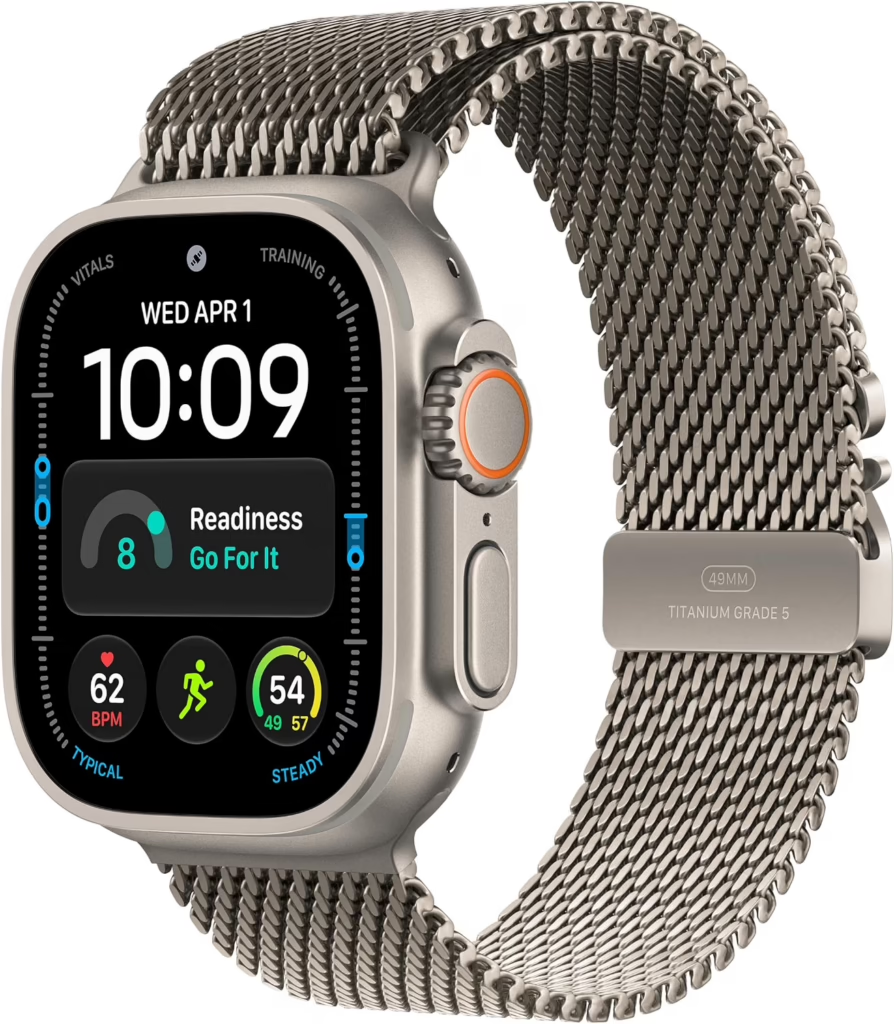
The Apple Watch Ultra 4 is easily the strangest dive computer in this guide — because it ain’t really a dive computer until you turn it into one. Add an app like Oceanic+ and the same Apple Watch you use for messages, workouts, maps, music and everyday life becomes a proper recreational dive computer rated for scuba to 130 ft / 40 m.
That makes it a fascinating option for iPhone users who already want an Apple Watch Ultra. It can’t touch the technical-diving capability of the Perdix 3 we’ve just looked at, and I wouldn’t buy one purely for scuba. But as a brilliant smartwatch that can also be your recreational dive computer, there’s nothing else in this guide quite like it.
The big appeal is obvious: you’re probably going to wear this thing when you aren’t diving.
It’s a full-blown Apple Watch with GPS, cellular connectivity, maps, notifications, music, Apple Pay, heart-rate and health monitoring, sleep tracking and a mountain of workout features. Then you jump off the boat and the thing on your wrist comes diving with you.
Just to be clear, you won’t be checking WhatsApp at 30 metres. Once you’re underwater, the smartwatch stuff takes a back seat and it becomes a dive computer. Honestly, if anyone finds a way to bring group chats underwater, I’m turning off their air.
For scuba, you’ll want something like Oceanic+ rather than Apple’s basic Depth app. Oceanic+ gives you proper dive-computer information including depth, dive time, NDL, safety stops, ascent-rate warnings, decompression information and a 3D compass, with haptic alerts that you can actually feel through your wetsuit.
The Ultra 4 itself brings a depth sensor and water-temperature sensor, automatically detects submersion from 1 m, and records GPS entry and exit points. Its titanium case is water resistant to 100 m, although recreational scuba functionality is specifically limited to 40 m / 130 ft.
And that’s the important limitation. There’s no air integration, trimix or CCR wizardry, and this isn’t something I’d recommend for serious technical diving. After reviewing the Perdix 3, we’ve basically gone from underwater spaceship control panel to an Apple Watch that happens to be surprisingly good at scuba diving.
Battery life is up to 50 hours in normal use or 84 hours in Low Power Mode, and Apple says it can fast-charge from 0–80% in around 45 minutes. That’s excellent for a smartwatch, although obviously nowhere near the months or years you’ll get from some dedicated dive computers.
👍 Best For
- 🍎 Apple users — integrates beautifully into the Apple ecosystem
- ⌚ Everyday wear — genuinely useful long after you’ve left the dive boat
- 🤿 Recreational diving — full dive-computer functionality with compatible apps
- 🏃 Sports & fitness — huge range of workout and health features
- 🗺️ Adventures & travel — GPS, maps, cellular and navigation features
- ❤️ Health tracking — extensive everyday health and fitness monitoring
📌 Key Specs
- 📺 Display: 49 mm Always-On Retina OLED
- 🌊 Max Scuba Depth: 130 ft / 40 m
- 💧 Water Resistance: 328 ft / 100 m
- 🛜 Air Integration: No
- 🤿 Dive Computer: Via compatible third-party app such as Oceanic+
- 🧭 Compass: Yes
- 🌡️ Dive Sensors: Depth & water temperature
- 📍 GPS: Entry/exit locations + dual-frequency GPS
- ❤️ Health/Fitness: Extensive Apple Watch health & workout suite
- 🔋 Battery: Up to 50 hours / 84 hours Low Power Mode
- ⚡ Charging: Fast rechargeable — around 0–80% in 45 minutes
⭐ Bottom Line
The Apple Watch Ultra 4 makes the most sense if you’re thinking “I want an Apple Watch Ultra anyway — can I use the same thing for diving?”
And the answer is surprisingly, yes. With Oceanic+ installed, it becomes a genuinely capable recreational dive computer while remaining one of the most feature-packed smartwatches you can wear the other 99% of the time.
Dedicated dive computers go deeper, last longer and offer far more advanced diving features. But for an Apple user who mostly dives recreationally and would rather have one very clever watch than another piece of dive gear gathering dust between trips, the Ultra 4 makes a compelling case.
❤️🤿 12) Best Dive Computer for Personalised Dive Data: Scubapro Luna 2.0 AI ($$)
⭐ Quick Verdict
The Scubapro Luna 2.0 AI does something genuinely different from most computers in this guide. Add the optional heart-rate monitor and it can factor your heart rate, skin temperature and workload into its adaptive decompression calculations — while air integration monitors your tank pressure and breathing to calculate your actual Remaining Bottom Time.
So while it might look fairly old-school with its big monochrome screen, there’s some surprisingly clever stuff happening underneath it. If you like the idea of a computer that pays attention not just to your dive profile, but to how hard you’re actually working during the dive, the Luna 2.0 AI is a fascinating option.
That Human Factor Diving system is what really separates the Luna from the crowd. With the optional heart-rate monitor, your heartbeat and skin temperature can become part of the workload information used by SCUBAPRO’s adaptive algorithm.
Air integration goes nicely with that idea. Add a compatible transmitter and the Luna monitors tank pressure and your breathing workload, then calculates your true Remaining Bottom Time. In other words, it isn’t just asking how deep are you? — it’s also paying attention to how quickly you’re munching through your gas while you’re down there.
Plenty of modern dive watches can record your heart rate underwater. The clever bit here is that the Luna can actually feed physiological workload into its adaptive decompression calculation.
You also get a choice between two Bühlmann-based algorithms, adjustable Microbubble conservatism levels and PDIS, which calculates intermediate stops based on things like nitrogen loading, previous dives and your breathing mixes.
Dive modes are Scuba, Gauge and Apnea, with Nitrox from 21–100% and switching between up to three gases. The wide monochrome LCD has big characters and a bright backlight, while two physical buttons keep navigation simple.
Bluetooth is built in for transferring dives to LogTRAK and updating firmware. There’s no built-in compass, though, which feels like a slightly odd omission on a $500 computer, but hey-ho, can’t have it all right! Power comes from a user-replaceable CR2450 battery, rated for around two years or 300 dives. No charging another device before the boat leaves — always a win in my book.
👍 Best For
- ❤️ Personalised dive data — optional heart rate & skin-temperature monitoring
- 🫁 Tracking workload — factors breathing and exertion into calculations
- 🛜 Air integration — tank pressure & Remaining Bottom Time
- 🧪 Multi-gas diving — supports up to three Nitrox mixes
- 👀 Readability — large high-contrast display
- 🔋 Low maintenance — long-lasting replaceable battery
📌 Key Specs
- 📺 Display: Large high-contrast monochrome LCD
- 🌊 Max Dive Depth: 394 ft / 120 m
- 🛜 Air Integration: Yes – transmitter sold separately
- ❤️ Human Factor Diving: Optional heart rate & skin-temperature monitoring
- 🤿 Dive Modes: Scuba, Gauge & Apnea
- 🧪 Gas Switching: Up to 3 gases / 21–100% Nitrox
- ⚙️ Algorithms: ZH-L16 ADT MB PMG or ZH-L16+GF
- 🧭 Compass: No
- 📱 Connectivity: Bluetooth LE / LogTRAK
- 📖 Dive Log: 50 hours
- 🔋 Battery: Up to 2 years / 300 dives
- 🔧 Battery Replacement: User-replaceable CR2450
⭐ Bottom Line
Air integration can track how quickly you’re breathing through your gas, while the optional heart-rate system lets the computer consider how hard your body is working as well. That’s a genuinely interesting approach to personalising dive calculations rather than simply throwing more colours and pixels at the screen.
It’s missing a compass and you’ll need optional accessories to unlock its cleverest features. But if you’re fascinated by what’s happening to both you and your tank during a dive, the Luna 2.0 AI offers something genuinely different.
🎮🤿 13) Best Console Dive Computer: Oceanic Pro Plus X ($$$)
⭐ Quick Verdict
The Oceanic Pro Plus X is a console dive computer, meaning it’s attached directly to your regulator via a high-pressure hose rather than worn on your wrist. That gives you one particularly nice advantage: air integration without needing to buy or pair a separate wireless transmitter, with your tank pressure and calculated Air Time Remaining displayed alongside your normal dive data.
It’s big, expensive and definitely not going to double as a smartwatch when you get home. But that enormous full-colour display, built-in 3D compass and beautifully clear gas information make the Pro Plus X an excellent choice if you prefer having everything together in one easy-to-read console.
And that’s really the reason to buy this thing: everything is in one place. Instead of checking a wrist computer and then looking down at an SPG, your depth, NDL, cylinder pressure and calculated remaining air time can all live together on one enormous colour screen.
The display is a bright full-colour TFT, with adjustable brightness and colour-coded information. There’s loads of room for your dive data, and the whole thing feels almost like having a little underwater dashboard attached to your regulator.
There’s also a built-in 3D digital compass, Bluetooth connectivity and Oceanic’s unusual Dual Algorithm system, which lets you choose between Pelagic DSAT and Pelagic Z+.
It handles Air, Nitrox and Gauge diving, with an operating depth of 330 ft / 100 m. The rechargeable lithium battery manages roughly 35–60 hours, depending on display brightness and use.
The main consideration is that the Pro Plus X becomes part of your regulator setup. That makes it less convenient if you regularly rent regulators while travelling, but if you already travel with your own regs, adding the Pro Plus X doesn’t suddenly make your gear dramatically more cumbersome. And if you prefer a traditional console, it turns that setup into something seriously modern.
👍 Best For
- 🎮 Console divers — everything lives together on your regulator
- 🛜 Air integration — included. No separate wireless transmitter required
- 👀 Easy readability — huge full-colour display
- 🧭 Navigation — built-in 3D digital compass
- 🫁 Gas management — cylinder pressure & Air Time Remaining
- 🤿 Recreational divers — particularly those who dislike wrist computers
📌 Key Specs
- 📺 Display: Large full-colour TFT
- 🌊 Max Dive Depth: 330 ft / 100 m
- 🛜 Air Integration: Included — direct high-pressure hose
- 🤿 Dive Modes: Air, Nitrox & Gauge
- 🧪 Nitrox: Up to 100% O₂
- 🧭 Compass: Built-in 3D digital compass
- ⚙️ Algorithms: Pelagic DSAT or Pelagic Z+
- 📱 Connectivity: Bluetooth
- 📖 On-Unit Log: 99 dives
- 🔋 Battery: Rechargeable lithium-ion, roughly 35–60 hours
⭐ Bottom Line
The Pro Plus X is completely different from almost every other computer in this guide, and that’s exactly why I’ve kept it here.
If you like console dive computers, getting your depth, NDL, tank pressure, remaining air time and compass on one enormous colour display is a seriously nice setup — and there’s no wireless transmitter to buy separately, lose or pair.
It’s bulky and makes far less sense if you regularly rent regulators. But for divers who want a permanently air-integrated computer attached to their own regulator setup, the Oceanic Pro Plus X is a cracking choice.
🤏🤿 14) Best Compact Dive Computer: Shearwater Tern TX ($$)
⭐ Quick Verdict
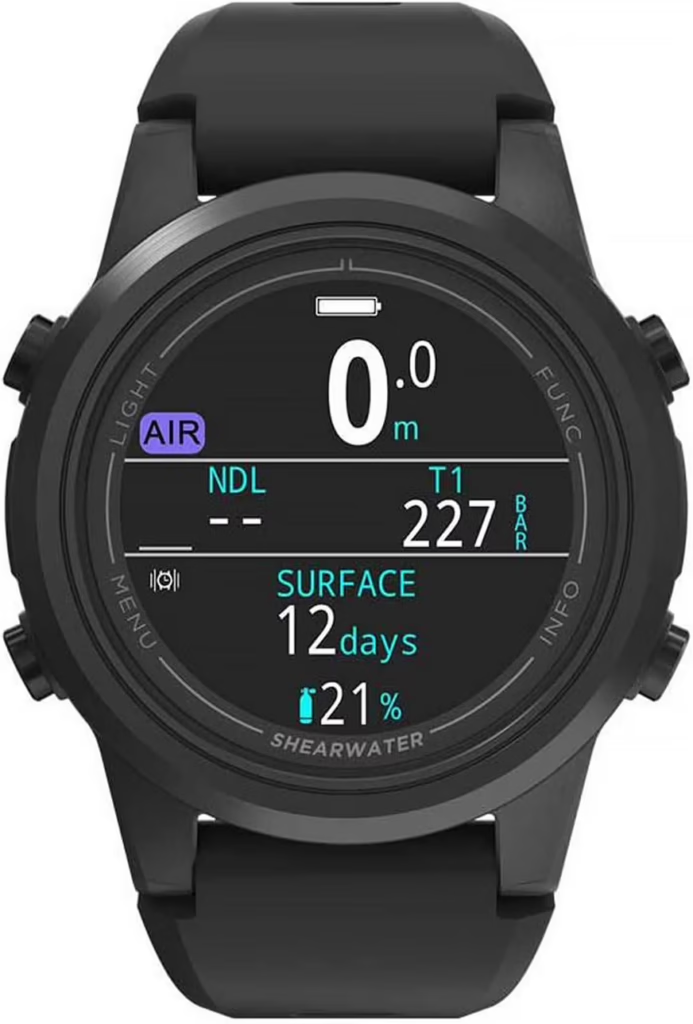
The Shearwater Tern TX squeezes a ridiculous amount of dive-computer tech into Shearwater’s smallest package. You get a gorgeous AMOLED display, air integration for up to four transmitters, a digital compass, multi-gas capability and Shearwater’s wonderfully straightforward interface — all in a computer just 50 mm across.
It’s only a little smaller and lighter than other watch-style dive computers like the Teric, so don’t expect some enormous difference on your wrist. But if keeping things as compact as possible genuinely matters to you, this is the smallest dive computer Shearwater makes — without sacrificing many of the features recreational divers actually want.
At just 50 mm across, 16 mm thick and 100 g, Shearwater has packed plenty into that small little fellow. There’s a beautiful 1.3-inch 360 × 360 AMOLED display that’s bright, colourful and highly customisable.
You also get wireless air integration for up to four transmitters, which is impressive for something this compact and lets you bring tank pressure and gas information directly onto your wrist.
Dive modes include Air, Nitrox, 3-Gas Nitrox, Gauge and Freedive, running Bühlmann ZHL-16C with adjustable gradient factors. There’s also a 3-axis tilt-compensated digital compass, configurable vibration alerts and Bluetooth for syncing dives and firmware updates.
Navigation uses four physical buttons, while the onboard logbook stores around 500 hours of diving. Battery life is roughly 20 hours, with convenient wireless charging.
The main limitation is technical diving. There’s no trimix or CCR support, so serious tech divers will eventually need something more capable. But for recreational and advanced recreational diving, there’s remarkably little missing (get it…little missing hohoho!)
👍 Best For
- 🤏 Compactness — the smallest dive computer Shearwater makes
- 🛜 Air integration — supports up to four transmitters
- 🤿 Recreational diving — loads of capability in a small package
- 🧪 Multi-gas diving — supports three-gas Nitrox
- 🧭 Navigation — built-in digital compass
- 🎒 Travel — as small and light to pack as a dive computer gets
📌 Key Specs
- 📺 Display: 1.3″ 360 × 360 AMOLED
- 🌊 Depth Rating: 394 ft / 120 m
- 🛜 Air Integration: Up to 4 transmitters (sold separately)
- 🤿 Dive Modes: Air, Nitrox, 3-Gas Nitrox, Gauge & Freedive
- 🧭 Compass: 3-axis tilt-compensated digital compass
- 📱 Connectivity: Bluetooth
- 📖 Dive Log: 500 hours
- 📏 Size: 50 mm diameter × 16 mm thick
- ⚖️ Weight: 100 g
- 🔋 Battery: Around 20 hours
- ⚡ Charging: Wireless
🌊♻️ 15) Best Dive Computer Made with Recycled Ocean Plastic: Garmin Descent G2 ($$)
⭐ Quick Verdict
The Garmin Descent G2 has one of the more unusual claims to fame in this guide: 100% of the plastic used in its housing, bezel and buttons comes from recycled ocean-bound plastic. Considering this is a piece of gear literally designed for people who love the ocean, that feels particularly appropriate.
Fortunately, Garmin hasn’t used that as an excuse to make the actual computer boring. You get a beautiful AMOLED display, recreational and technical dive modes, freediving, a compass and an enormous collection of sports, fitness and health features. Come for the recycled plastic; stay because it’s actually a seriously capable dive computer.
The recycled material isn’t just a token piece hidden somewhere inside. Garmin says all the plastic in the housing, bezel and buttons is recycled ocean-bound plastic, paired with a tough sapphire lens.
The 1.2-inch AMOLED display sits inside a 45.5 mm watch-style body, with a touchscreen above water and physical controls for diving. It’s depth-rated to 328 ft / 100 m and weighs only around 60 g.
Dive capability is surprisingly serious. There are Single-Gas, Multi-Gas, CCR, Gauge, Apnea, Apnea Hunt and Pool Apnea modes, with support for Nitrox, trimix and up to 11 additional deco or backup gases. It runs Bühlmann ZHL-16C with adjustable gradient factors and includes a proper multi-gas decompression planner.
There’s also a 3-axis digital compass, GPS dive-entry and exit locations, NDL Aware depth metrics and Garmin’s interesting Dive Readiness feature, which considers things like sleep, stress, recent exercise and previous dives.
Above water it becomes a proper Garmin sports watch, with 100+ sports apps, heart-rate and sleep monitoring, training readiness/status and Garmin Pay. So the recycled plastic may be our identifier, but there’s a hell of a lot more going on underneath it.
Battery life reaches 27 hours in Dive Mode or 10 days in smartwatch mode, although using the always-on display reduces smartwatch life to around four days.
👍 Best For
- ♻️ Recycled materials — housing, bezel & buttons use recycled ocean-bound plastic
- 🌊 Ocean lovers — an fantastically appropriate use of recycled material
- 🤿 All-round diving — recreational, technical & freediving modes
- 🏃 Sports & fitness — 100+ sports apps and extensive training tools
- 🧪 Advanced diving — Multi-Gas, trimix & CCR support
- 🧭 Navigation — built-in compass & GPS entry/exit locations
📌 Key Specs
- 📺 Display: 1.2″ 390 × 390 AMOLED
- 💎 Lens: Sapphire crystal
- ♻️ Construction: Recycled ocean-bound plastic housing, bezel & buttons
- 🌊 Max Dive Depth: 328 ft / 100 m
- 🛜 Air Integration: No
- 🤿 Dive Modes: Single-Gas, Multi-Gas, CCR, Gauge, Apnea, Apnea Hunt & Pool Apnea
- ⚙️ Algorithm: Bühlmann ZHL-16C with adjustable gradient factors
- 🧪 Technical Diving: Nitrox, trimix, CCR & multi-gas decompression
- 🧭 Compass: Built-in 3-axis dive compass
- 🏃 Sports: 100+ sports apps
- 🔋 Battery: Up to 27 hours diving / 10 days smartwatch
- ⚡ Charging: Rechargeable
⭐ Bottom Line
The recycled ocean plastic gives the Descent G2 a genuinely different story from every other computer in this guide. It’s not just a vaguely green marketing claim either — the housing, bezel and buttons are actually made using recycled ocean-bound plastic.
But you don’t have to choose between that and getting a good computer. AMOLED, trimix, CCR, multi-gas diving, freediving, a compass and Garmin’s enormous sports ecosystem make the G2 far more capable than its unusual identifier might suggest.
It won’t replace the Mk3i if you want Garmin’s premium air-integration and SubWave features. But if you like the idea of strapping a little bit of recycled ocean plastic to your wrist before jumping back into the ocean, the Descent G2 is a pretty cool way to finish this list.
⌚🌊🤓📚📊 Dive Computer Buying Guide & Info
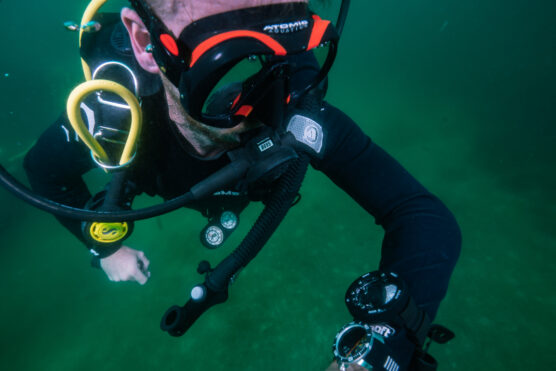
Dive computers can get fucking complicated surprisingly quickly. Algorithms, air integration, transmitters, gradient factors, AMOLED displays, CCR — read enough spec sheets and you’ll start wondering whether you’re buying a dive computer or trying to launch a nuclear submarine.
Thankfully, most divers don’t need half this stuff — let alone need to pay for it.
In this guide, I’ll break down how dive computers work, explain what all the important features actually do, look at how much you really need to spend and help you figure out which features actually matter for the kind of diving you do.
We’ll cover everything from displays and dive modes to algorithms, air integration, batteries and smartwatch features — without disappearing so far down the dive-computer nerd blue hole that we need a decompression stop on the way back out.
By the end, you should have a pretty good idea of what you need, what you don’t, and what you’re actually paying extra for.
⚡ Dive to What You Need
🤿 What Does a Dive Computer Actually Do?
At its most basic, a dive computer keeps track of how deep you are, how long you’ve been underwater and how much nitrogen your body is theoretically absorbing during the dive.
From that, it continuously calculates your No-Decompression Limit (NDL) — essentially how long you can remain at your current depth before you’d need mandatory decompression stops on the way back up.
And continuously is the important bit. Your computer isn’t just running a stopwatch from the moment you descend. As you move shallower or deeper, it’s constantly recalculating your nitrogen exposure and updating your NDL. Spend ten minutes at 100 ft and then cruise around at 40 ft, and it’ll account for that changing depth throughout the dive.
It also remembers previous dives. So if you jump back in after lunch, your computer knows you’re starting the second dive with residual nitrogen still in your body and adjusts your limits accordingly.
Towards the end of a normal recreational dive, it’ll also usually give you a safety-stop countdown — commonly around 3 minutes at roughly 15–20 ft / 5–6 m. Hang around at the right depth, watch the timer tick down and try not to spend the entire three minutes staring at your computer like it’s New Year’s Eve.
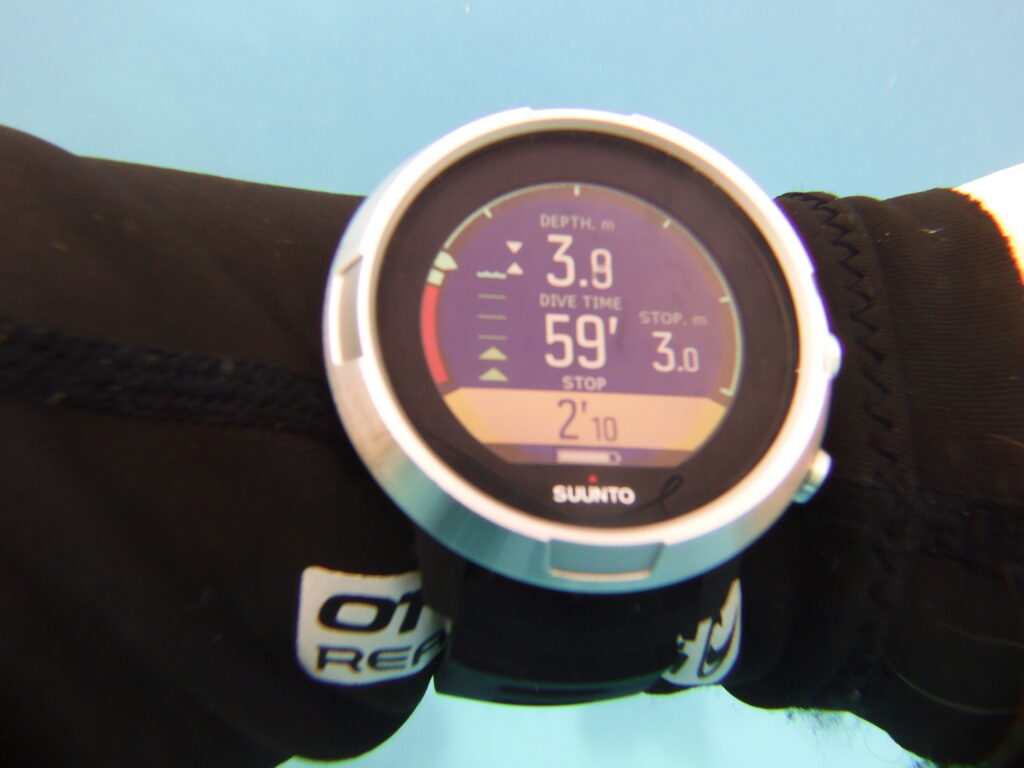
Even fairly basic computers will usually show or track things like:
- 🌊 Current & maximum depth
- ⏱️ Dive time
- 🧠 No-Decompression Limit (NDL)
- 🛑 Safety stops
- ⬆️ Ascent rate
- 🌡️ Water temperature
- 🗂️ Your previous dives
Your computer will also let you know when you’re doing something it really doesn’t approve of. Ascend too quickly, exceed your NDL, miss a required decompression stop or trigger certain other limits and it’ll usually start beeping, flashing or vibrating angrily at you.
Exactly what sets it off varies between computers, and many let you customise their alarms. But the general rule is pretty simple: if your dive computer suddenly starts having a small electronic meltdown on your wrist, have a look at it. It’s probably quite upset about something important.
More advanced computers can then pile on Nitrox, multiple gases, air integration, compasses, decompression planning, trimix, rebreathers, GPS and enough additional data to make your wrist look like Mission Control.
But underneath all that fancy stuff, the basic job remains the same: track your dive and help you stay within your planned decompression limits while you enjoy being underwater.
And that’s why even a cheap dive computer can be an enormous upgrade over having no computer of your own at all.
💰 How Much Should You Spend on a Dive Computer?
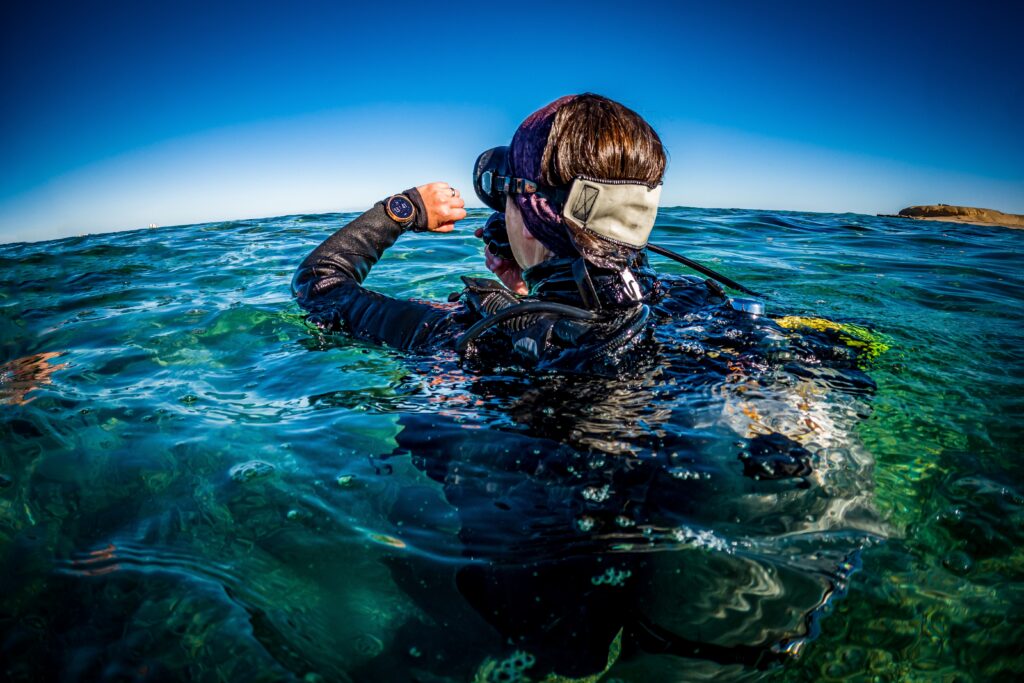
You can spend around $200 on a perfectly good dive computer — or casually obliterate $1,500+ on one. The important thing to understand is that spending five times as much doesn’t mean you’re getting a computer that’s five times better at keeping you safe.
Even relatively cheap dive computers handle the essentials we’ve just covered: depth, dive time, NDL, ascent-rate warnings, safety stops and Nitrox. For plenty of recreational divers, that’s genuinely enough.
As you spend more, you’re generally paying for better displays, nicer interfaces, digital compasses, air integration, multiple gases, technical-diving capabilities, rechargeable batteries and smartwatch features. As a rough guide:
- 🤑 $200–$350: Great territory for beginners and recreational divers. Expect simpler displays and fewer fancy features, but everything you actually need for normal recreational diving.
- 🤿 $350–$700: Probably the sweet spot for many regular divers. Better displays, more customisation, compasses, Bluetooth and sometimes air integration start appearing. 🤓
- $700–$1,500+: Premium and specialist territory. Think gorgeous AMOLED displays, advanced air integration, trimix and CCR capability, serious sports/smartwatch features and computers designed for increasingly complicated diving.
The big thing is not to pay for features you’ll never use. A $1,300 technical computer capable of managing multiple gases and a closed-circuit rebreather isn’t necessarily a better purchase if you’re doing two reef dives on holiday and mostly interested in finding the turtles.
Equally, if you dive constantly, want air integration or simply fancy a beautiful colour computer you’ll happily use for the next decade, spending more can absolutely be worth it.
The goal isn’t to buy the most advanced dive computer you can afford. It’s to buy enough computer for the diving you actually do — with a little room for the diving you might do next.
📺 Dive Computer Displays & Screen Size
Your dive computer’s display is the bit you’re actually going to spend the entire dive looking at, so this is one feature I’d pay extra special attention to.
Displays vary enormously. At one end you’ve got gloriously old-school monochrome dot-matrix screens; at the other, bright full-colour displays that look more like tiny smartphones strapped to your wrist.
Both can do the job brilliantly. You’re mainly choosing between simplicity, readability, battery life, size and how fancy you want things to look.
🔢 Monochrome Dot-Matrix Displays
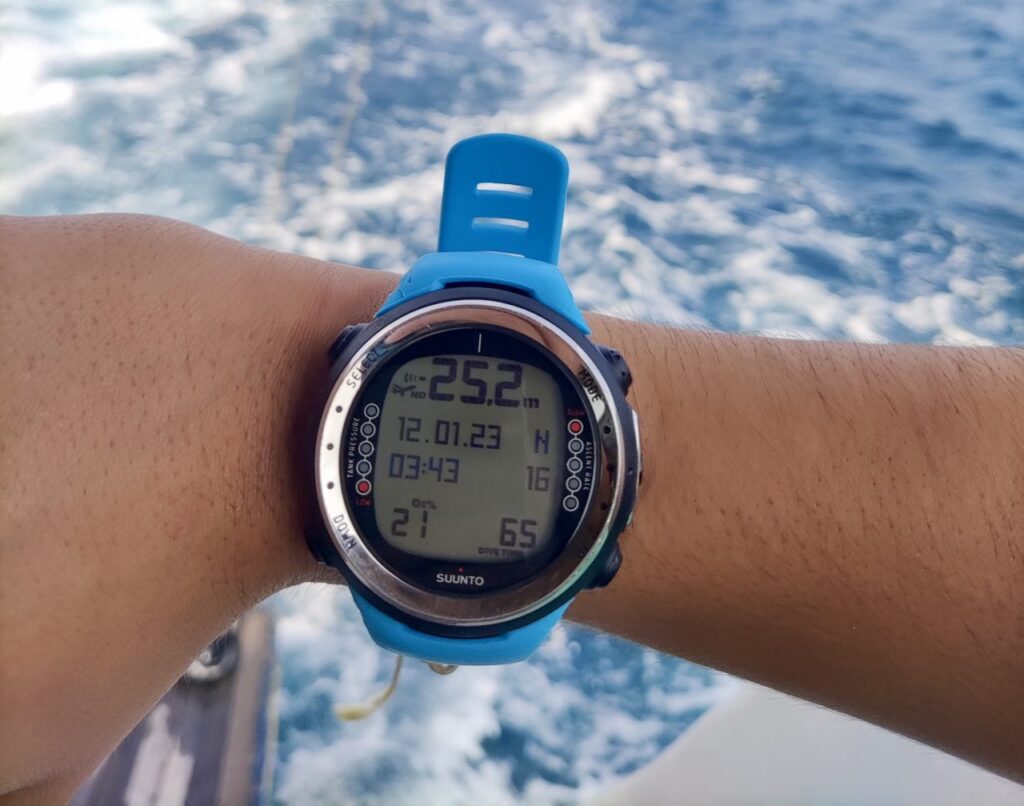
Computers like the Suunto Zoop Novo and Cressi Leonardo use simple monochrome displays with dark numbers and symbols against a light background.
They’re not particularly glamorous. In fact, some of them look like a calculator and a hockey puck had a baby.
But there’s a reason this style has stuck around for so long.
The displays are generally easy to read, relatively cheap to produce and extremely power-efficient. That’s one reason computers like the Zoop can run for ages on a little replaceable battery rather than needing to be charged every few dives.
There’s also less visual clutter. Your depth, dive time, NDL and safety-stop information are sitting there in big obvious numbers without animated widgets, colourful graphs or twelve different things competing for your attention. For beginners especially, simple isn’t necessarily worse.
🌈 Full-Colour Displays
Move up the price range and you’ll encounter full-colour LCD and AMOLED displays on computers like the Shearwater Teric, Suunto D5, Suunto Ocean and Garmin Descent series.
These aren’t just prettier.
Colour lets the computer separate different types of information visually, highlight warnings and make complicated screens considerably easier to interpret. More advanced computers can also offer multiple layouts, graphical information and far more customisation.
AMOLED screens in particular can be beautifully bright, sharp and contrasty. Going from my old Zoop Novo to the colour display on my D5 genuinely felt like I’d skipped about 20 years of consumer electronics overnight.
The downsides? Colour screens generally appear on more expensive computers, consume considerably more power and are usually paired with rechargeable batteries.
Do you need colour to dive?
Absolutely not.
Would I personally want to go back to monochrome after years of using colour computers?
Also absolutely not.
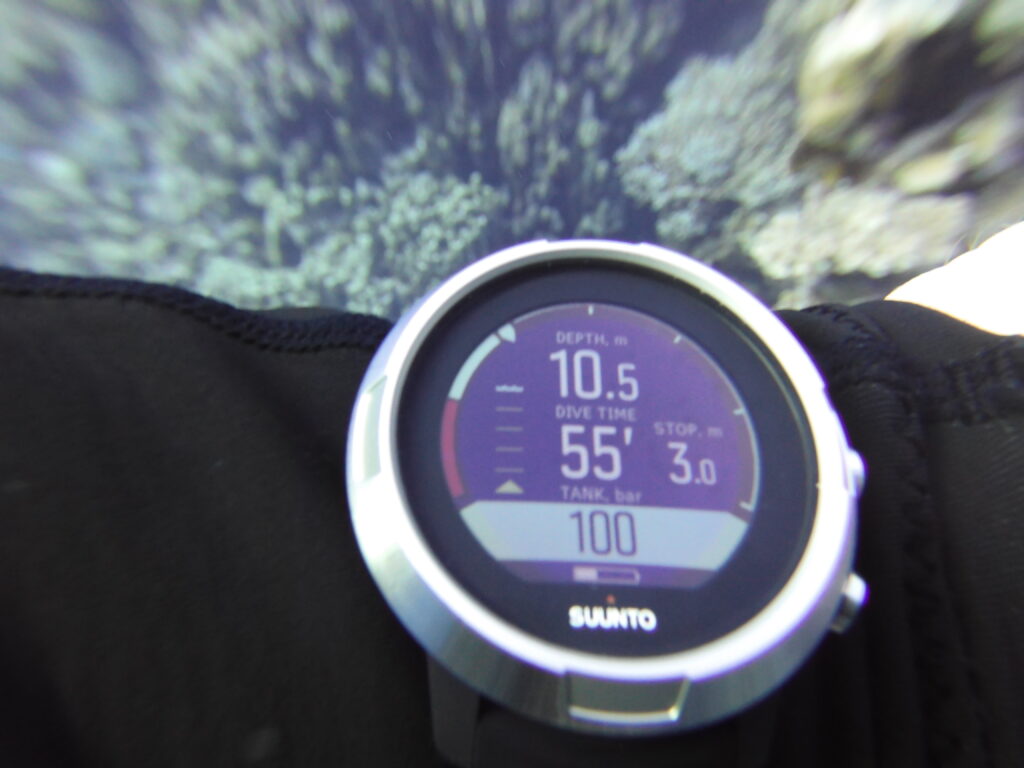
📐 What About Screen Size?
Bigger isn’t always better — and yes, we’re still talking about dive computers.
Compact round computers like the Teric and D5 are easier to wear outside the water, whereas rectangular computers like the Peregrine TX, Perdix 3 and Raffaello have much more space to spread information around.
That extra real estate becomes particularly useful when you’re displaying tank pressure, multiple gases, decompression information or several pieces of data simultaneously.
For straightforward recreational diving, though, you don’t need an enormous screen. What matters is whether you can glance at your wrist and immediately understand what it’s telling you.
That’s ultimately what I’d prioritise over resolution numbers, display technology or whether the screen looks sexy in the product photos: Can you read the bloody thing easily underwater?
⌚ Smartwatch & Sports Features
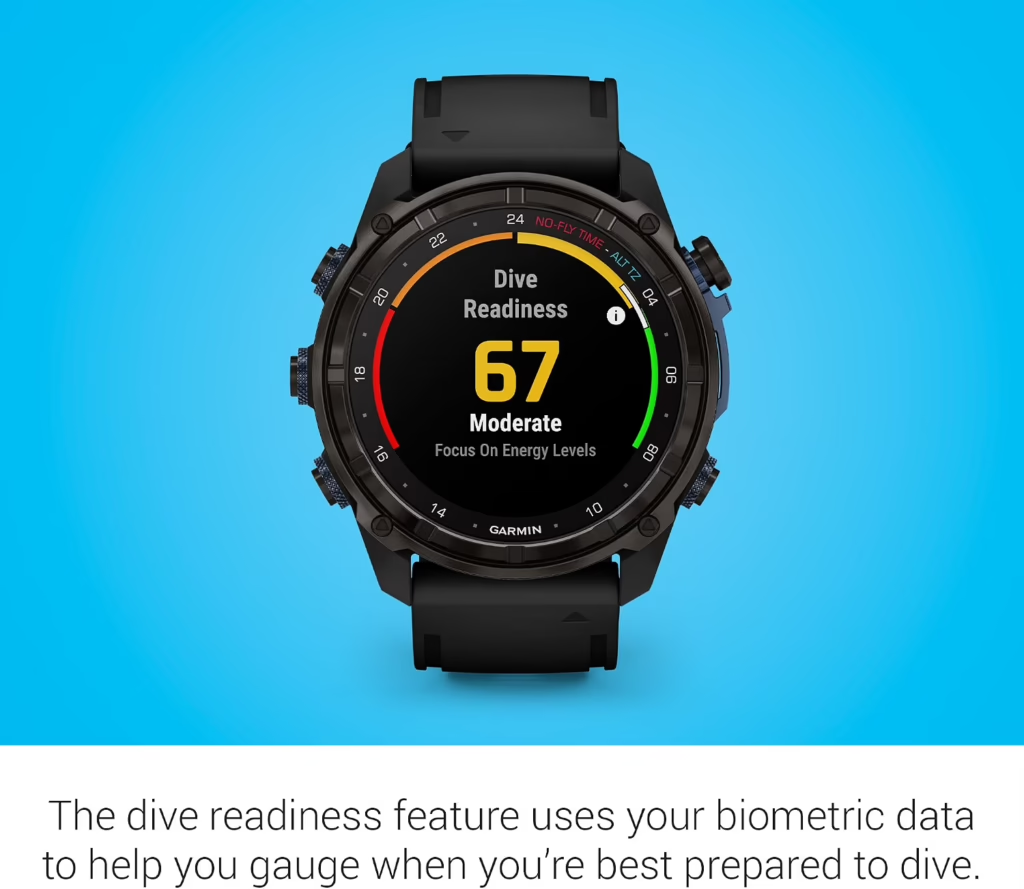
Some dive computers are designed to spend two hours underwater and the other 22 hours sitting in your dive bag. Others are designed to basically never leave your wrist.
Computers like the Suunto Ocean, Garmin Descent Mk3i and Apple Watch Ultra 4 combine dive-computer functionality with many of the features you’d expect from a modern smartwatch or sports watch. Depending on the model, that can include things like:
- 🏃 Running, cycling, swimming and other sports modes
- ❤️ Heart-rate monitoring
- 😴 Sleep and recovery tracking
- 🛰️ GPS and activity tracking
- 🎵 Music controls or storage
- 📱 Phone notifications and other smartwatch features
- 💳 Contactless payments on some models
For someone who dives, runs, hikes, goes to the gym and actually enjoys having all their activity data in one place, that can make a lot of sense. Instead of owning a sports watch and a dive computer, you’ve effectively got one device doing both jobs.
The Garmin Descent Mk3i takes this idea particularly far. It’s essentially one of Garmin’s high-end multisport watches with a seriously capable dive computer stuffed inside it. The Suunto Ocean follows a similar philosophy, combining proper dive modes with more than 100 sports modes and everyday fitness features.
Then there’s the Apple Watch Ultra 4, which approaches things from the opposite direction. It’s primarily a smartwatch, but with the right diving app it can also function as a recreational dive computer.
🤿 Do You Actually Need Smartwatch Features?
No sir – not remotely. If you already own a smartwatch you love — or simply don’t give a toss how many steps you took while wandering around the dive resort — there’s little reason to pay extra for another one.
Dedicated dive computers like the Shearwater Teric, Peregrine TX and Perdix 3 put far more emphasis on the diving itself. Personally, that’s the camp I’m in. My Teric doesn’t need to tell me how well I slept, how stressed I am or whether I’ve closed my little activity rings.
I usually already know the answers are badly, very and not at all – the dive resort bar knows why. But if you want one watch for diving, exercise and everyday life, smartwatch features can turn a dive computer from something you use a few weeks each year into something that’s actually useful every single day.
🛜 Air Integration — Is It Worth It?

Normally, if you want to know how much gas you’ve got left, you look at your SPG.
With air integration, your dive computer can show that information right there on the screen alongside your depth, dive time and NDL.
Most wrist-mounted air-integrated computers do this using a small wireless transmitter attached to the regulator first stage. The transmitter measures cylinder pressure and sends it wirelessly to your computer. Once connected, you can typically see things like:
- 🛢️ Current tank pressure
- ⏳ Estimated remaining gas time
- 📉 Gas consumption throughout the dive
- 🌬️ Your breathing rate or related gas-use data
- 🤿 Multiple tanks on more advanced systems
And once you’ve become accustomed to glancing at your wrist and seeing depth, NDL and tank pressure all in one place, going back to checking a separate gauge can feel surprisingly primitive.
🤿 Do You Need Air Integration?
Hell nah. Divers managed perfectly well with SPGs long before somebody decided our regulators needed Wi-Fi.
But air integration is genuinely useful — particularly if you dive frequently. Having your gas information incorporated into the same display as the rest of your dive data makes it quick and convenient to monitor everything at a glance.
More advanced systems can take this further. Computers such as the Shearwater Teric and Peregrine TX can connect to multiple transmitters, while some systems can use your tank pressure and gas consumption to estimate how long your remaining gas is likely to last at your current depth.
💸 Watch Out for the Transmitter
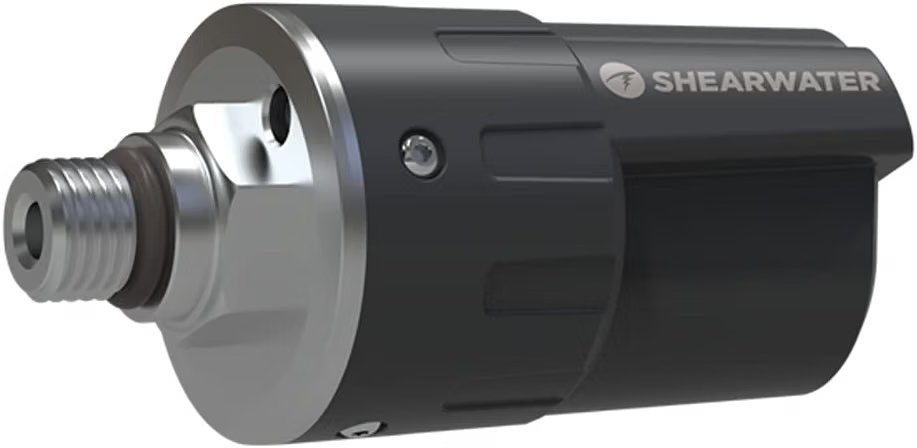
There’s one very important catch when shopping for an air-integrated dive computer: “Air-integration compatible” does not necessarily mean the transmitter is included.
Quite often you’re buying the computer first and the transmitter separately — and those little bastards can cost several hundred dollars on their own.
The transmitter itself screws into a high-pressure (HP) port on your regulator’s first stage, where it measures the pressure in your tank and wirelessly sends that information to your dive computer.
You’ll also need to make sure you’re buying a transmitter that’s actually compatible with your dive computer. You can’t just screw any transmitter onto your regulator and expect it to start chatting with whatever computer happens to be on your wrist — different brands and models support specific transmitters.
So when comparing prices, check exactly what’s included in the package and which transmitter your computer requires, rather than assuming it’ll arrive ready to display your tank pressure.
There are also hose-connected console computers, such as the Oceanic Pro Plus X, which receive tank-pressure information directly through a high-pressure hose connected to the regulator rather than using a wireless transmitter.
🛜 So, Is Air Integration Worth Paying For?
For an occasional holiday diver? Probably not essential.
For someone diving regularly who likes having all their information in one place? It’s one of the upgrades I’d seriously consider.
I wouldn’t choose a worse dive computer purely because it has air integration, and I certainly wouldn’t treat an SPG like some horrifying relic from the Stone Age.
But once your computer can tell you how deep you are, how long you’ve got left and how much gas you’ve got remaining without you doing anything more strenuous than moving your eyeballs slightly downwards, it’s very easy to see the appeal.
🔋 Rechargeable vs Replaceable Batteries
Dive computers generally take one of two approaches to batteries: recharge the computer when it gets low, or crack it open and stick a new battery in. Neither is automatically better — and weirdly, this is one of those boring-sounding features that can become very important when you’re halfway through a dive trip.
⚡ Rechargeable Dive Computers
Most modern colour computers — including the Shearwater Teric, Suunto D5, Suunto Ocean and Garmin Descent series — use rechargeable batteries.
The obvious advantage is convenience. Plug it in or drop it onto a wireless charger, wait a while and you’re ready to dive again. There’s no buying replacement batteries or opening the computer every time it runs low.
Rechargeable batteries also make sense for bright colour displays and smartwatch features, which consume considerably more power than simple monochrome screens. The downside is that they need charging much more frequently.
Depending on the computer and how you’re using it, that might mean charging during a multi-day dive trip — which isn’t exactly difficult, but does give you one more bloody thing to remember alongside your camera, lights, phone and approximately 47 other USB cables. And like any rechargeable battery, its capacity can gradually decline with age. Welcome to the club buddy.
🔧 User-Replaceable Batteries
Simpler computers like the Suunto Zoop Novo, Cressi Leonardo and Mares Puck 4 use replaceable batteries instead. The big advantage? They can last absolutely ages.
Rather than thinking about charging every few days, you can potentially dive for months — or considerably longer depending on how frequently you dive — before replacing the battery. If it does run low during a trip, carrying a spare battery can also be easier than finding somewhere to recharge.
The trade-off is that opening a dive computer means disturbing its waterproof seal. If the battery is user-replaceable, follow the manufacturer’s instructions carefully, inspect or replace the O-ring where specified and make damn sure everything is properly sealed again. Some divers simply have a dive shop or service centre do it for them. Easy peasy.
🤿 Which Should You Choose?
I wouldn’t choose a dive computer solely because of its battery type. If you want a beautiful colour display, air integration and smartwatch features, you’ll probably end up with something rechargeable anyway.
If you want a simple computer you can throw in your dive bag, forget about for three months and discover still has plenty of battery left, replaceable batteries have a lot going for them.
Either way, there’s really only one battery feature that matters once you’re standing on the boat fully kitted up: Does the bastard have enough charge for the dive?
🧭 Compass, GPS & Navigation

A compass is one of those dive-computer features that can seem like a nice little extra — until you’re underwater wondering which direction the bloody boat went.
Many mid-range and premium dive computers now include a digital compass built directly into the computer. Instead of carrying a separate compass, you can bring up a heading on your wrist and use it for basic underwater navigation.
Depending on the computer, you may also be able to lock a bearing, view your reciprocal heading and follow directional markers back towards where you came from.
For recreational diving, I really like having one built in. It’s especially useful on wrecks, reefs with repetitive scenery, low-visibility dives and shore dives where knowing your direction actually matters.
🛰️ What About GPS?
This is where things get slightly confusing. Computers like the Suunto Ocean and Garmin Descent series also have GPS — but GPS doesn’t work normally once you’re underwater, because satellite signals don’t travel effectively through water.
Instead, GPS is primarily useful at the surface. Your computer can record where you entered and exited the water, save dive-site locations and help you navigate to locations before or after the dive.
Some newer computers can also combine their sensors and other data to estimate or reconstruct your route underwater, but that’s different from having a little Google Maps arrow following you around the reef in real time.
So don’t buy a GPS-equipped dive computer expecting it to magically navigate you back to the boat from 100 ft down. The fish haven’t got Google Maps yet (thanks Posiden, for if they ever did they may become unstoppable…).
🤿 Do You Need Either?
It’s a cool feature — particularly for travelling divers, shore diving and anyone who likes building a detailed record of exactly where they’ve been. A digital compass, however, is something I’d genuinely consider when choosing between computers at a similar price.
You can absolutely dive without one, and a separate compass works perfectly well. But having your depth, NDL, dive time and compass all sitting on the same wrist is extremely convenient.
Just remember that owning a digital compass and actually knowing how to navigate with one are two very different things. Otherwise you’re simply lost underwater with a considerably more expensive wristwatch. 🧭🤿
🤿 Dive Modes Explained
This is where dive-computer spec sheets start throwing around terms like Air, Nitrox, Gauge, Freedive, Multi-Gas, Trimix and CCR as though everyone was born knowing what the hell they mean.
The good news is that most recreational divers only need the first couple. The increasingly nerdy modes exist for increasingly nerdy forms of diving.
🌬️ Air Mode
This is the standard scuba mode for diving with normal compressed air. The computer tracks your depth and time, calculates your NDL, monitors ascent rate and handles things like safety stops. If you’re a newly certified diver doing ordinary recreational dives, this is probably where you’ll start. Simple.
🧪 Nitrox Mode
Nitrox is breathing gas containing a higher percentage of oxygen than normal air — commonly 32% or 36%.In Nitrox mode, you tell the computer the oxygen percentage you’re diving with. It can then calculate your decompression limits appropriately while also tracking oxygen exposure and maximum operating depth.
Nitrox is extremely common in recreational diving, so I’d expect virtually any modern recreational dive computer worth considering to support it. Just remember: the computer doesn’t analyse your tank for you. You still need to analyse your gas and enter the correct oxygen percentage yourself.
⏱️ Gauge Mode
Gauge mode basically turns your fancy dive computer into a very sophisticated depth gauge and stopwatch. It’ll generally display things like depth and elapsed dive time, but it stops calculating your decompression status for you.
This is primarily useful for more experienced or technical divers who are managing their decompression another way. In other words, don’t accidentally select Gauge because you think it sounds cool. The computer has essentially just said, “Fine. You do the maths.”
🐬 Freedive / Apnea Mode
Freediving modes are designed for breath-hold diving rather than scuba. They typically track things like maximum depth, dive duration, surface intervals and repeated descents, often with dedicated alarms and displays designed specifically around freediving.
If you scuba and freedive, having both modes on the same computer is obviously useful — although this does mean peacefully uniting two groups of people who have spent decades quietly thinking the other lot are absolute bellends.
Freedivers think scuba divers are overweight pack mules crashing through the ocean covered in hoses, bubbles and jangling metal. Scuba divers think freedivers are underwater vegans who won’t shut up about breathing exercises. Both are probably onto something.
🛢️ Multi-Gas Mode
Now we’re starting to enter the nerd cave. Multi-gas computers let you configure more than one breathing gas for the same dive and switch between them underwater.
This can be useful for advanced recreational and technical divers carrying different gas mixes — for example, a bottom gas plus a richer Nitrox mix used during decompression.
Some recreational-oriented computers support a few Nitrox mixes, while more technical models offer much more sophisticated gas management.
🧙 Trimix Mode
Trimix contains oxygen, nitrogen and helium and is primarily used for deeper technical diving. A trimix-capable computer can calculate decompression while accounting for these gases and potentially multiple gas switches during the dive.
If you’re doing ordinary recreational diving, you don’t need trimix support.
If you’re planning dives where trimix actually becomes relevant, you’re already well beyond the point where a paragraph in this buying guide should be teaching you how to use it.
♻️ CCR / Rebreather Mode
CCR stands for Closed-Circuit Rebreather. Unlike normal open-circuit scuba, where you breathe from your regulator and blow the gas back out as bubbles, a rebreather recycles your breathing gas, removes carbon dioxide and manages the breathing mixture.
Computers with CCR modes can perform the specialised decompression calculations needed for this kind of diving. High-end technical computers such as the Shearwater Perdix 3 are built with exactly this sort of diving in mind. Again, for the overwhelming majority of recreational divers: You do not need this.
🧠 So Which Modes Do You Actually Need?
For most recreational divers, I’d prioritise Air + Nitrox. Add Freedive if you actually freedive, and everything beyond that depends on where you intend to take your diving.
Don’t spend a fortune buying a computer with Trimix, CCR and multiple-gas capabilities because they sound impressively technical if you’re never going to use them.
On the other hand, if you’re already moving towards technical diving, buying a computer with room to grow can save you from buying another expensive computer two years later.
Although, judging by my own progression from Zoop Novo → D5 → Teric, apparently buying another expensive dive computer is also a perfectly valid hobby.
🧠 Dive Computer Algorithms Explained

Your dive computer uses a decompression algorithm to estimate how nitrogen is being absorbed and released by your body. This is what helps it calculate your NDL and any required decompression stops.
Different algorithms can produce slightly different results, which is why two divers doing the exact same dive can sometimes see different NDLs on their computers.
You’ll frequently encounter Bühlmann ZHL-16C, particularly on computers from brands like Shearwater and Garmin. More advanced models may also let you adjust Gradient Factors, essentially allowing trained divers to customise aspects of how conservatively the algorithm handles decompression.
Other manufacturers use their own algorithms or implementations, often with adjustable conservatism settings.
For most recreational divers, don’t obsess over this. Choose a reputable computer, understand its settings and don’t buy one simply because you’ve heard its algorithm might give you a few extra minutes underwater.
If you’re getting into technical diving and tweaking Gradient Factors, you’re entering a much deeper nerd hole than we need to disappear down here. 🤓
That’s plenty. And I think we were right to stop adding sections — after this, I’d go straight to Final Thoughts.
🤿 Final Thoughts
A good dive computer doesn’t need to be the most expensive, most advanced or packed with the most features. It just needs to suit the diving you actually do.
For some divers, that’s a simple computer showing the essentials in big, obvious numbers. For others, it’s colour displays, air integration, multiple gases and enough data to keep an enormous dive nerd entertained for hours.
Whichever direction you go, take the time to learn your computer properly before relying on it underwater.
Then strap it on, go diving and try not to spend the entire dive staring at your wrist. There’s an ocean out there. 🤿🌊
Support the Squad!
We are part of the Amazon Services LLC Associate Program. If you make a purchase on amazon after clicking a link on Diving Squad, we earn a small commission fee, at no extra cost to yourself.
We are also part of several other affiliate programs so if you click on a Diving Squad affiliate link that results in you booking a liveaboard, booking accommodation, purchasing insurance or buying a product somewhere else, once more we make a small commission, without it costing you a cent extra. Cheers!